---
title: "🙋\u200d♂️ Can Anyone Explain Twitter Cards to me?"
description: "Can someone explain how or why twitter cards render differently from device to device? I do understand that twitter cards a built from meta tags, the full..."
date: 2020-07-11
published: true
tags:
  - blog
  - twitter
template: blog-post
---


Can someone explain how or why twitter cards render differently from device to device?  I do understand that twitter cards a built from meta tags, the full list can be found in their [docs](https://developer.twitter.com/en/docs/tweets/optimize-with-cards/overview/markup)

## Rendered on Mobile

Mobile Looks fine.
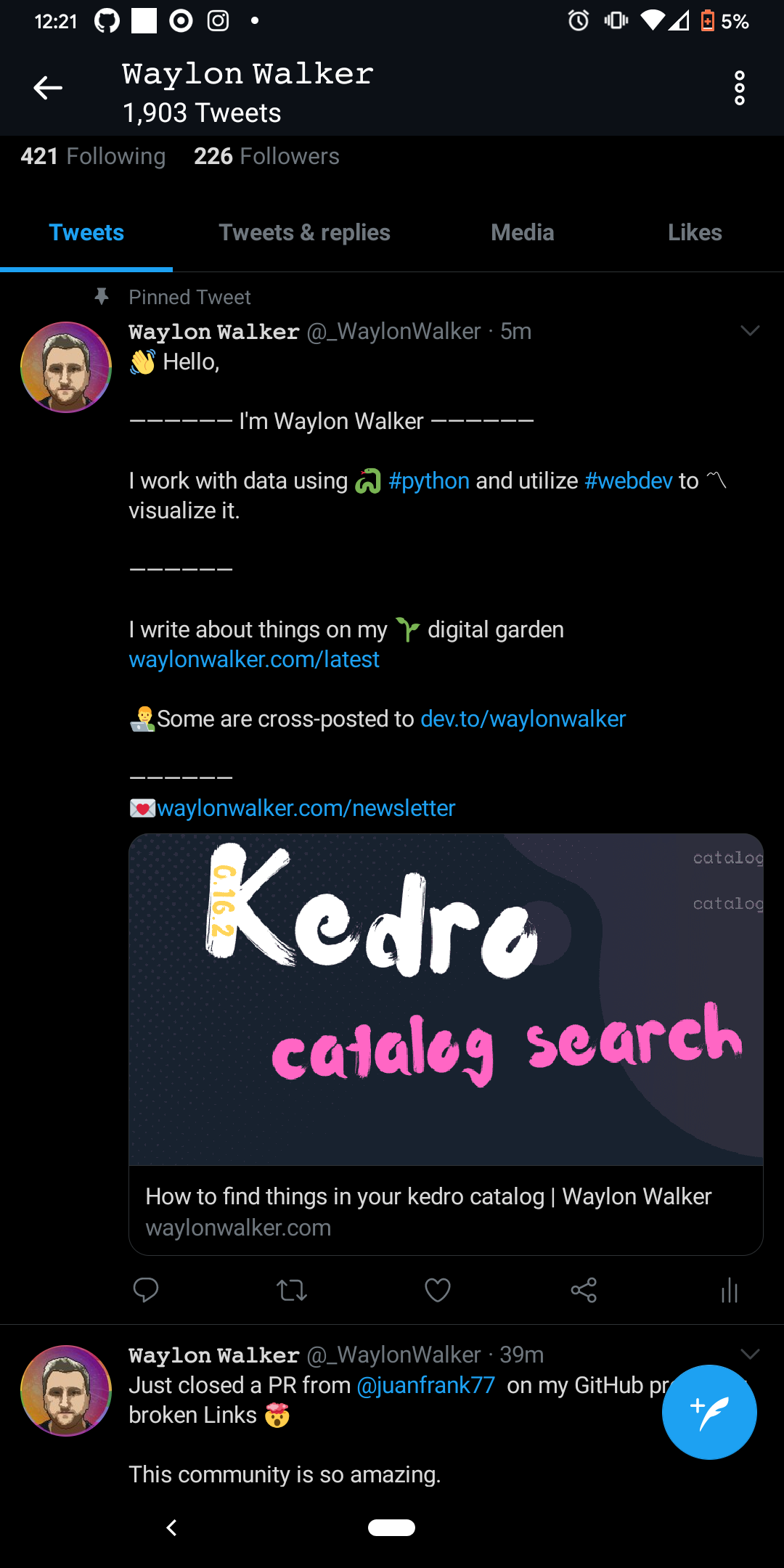
![rendered card](https://images.waylonwalker.com/twitter-card-rendered.png)

## Not Rendered on Desktop

On Desktop it is not picking up the image.

![not rendered card](https://images.waylonwalker.com/twitter-card-rendered.png)

## Twitter Card Validator

The Validator renders the card correctly.  I tried the official [twitter card
validator](https://cards-dev.twitter.com/validator), as well as
[heymeta.com](https://www.heymeta.com/results?url=waylonwalker.com), and
[metatags.io](https://metatags.io/).  All look good.

![rendered card with validator](https://images.waylonwalker.com/twitter-card-rendered.png)

## Can Cards be updated?

_even with a redirect?_

I tried seting up a pinned tweet that uses a netlify redirect to always keep my latest post up to date.  Again this one looks good in the validator, doesnt render the image on desktop, does render the image on mobile, but does not update.  I have heard that you need to hit the card validator to update cards?  I am not sure if this is true, but for me this is not even upating the card.

<blockquote class="twitter-tweet"><p lang="en" dir="ltr">👋 Hello,<br><br>―――――― I&#39;m Waylon Walker ――――――<br><br>I work with data using 🐍 <a href="https://twitter.com/hashtag/python?src=hash&amp;ref_src=twsrc%5Etfw"><a href="/tags/python/" class="hashtag-tag" data-tag="python" data-count=313 data-reading-time=486 data-reading-time-text="486 minutes">#python</a></a> and utilize <a href="https://twitter.com/hashtag/webdev?src=hash&amp;ref_src=twsrc%5Etfw"><a href="/tags/webdev/" class="hashtag-tag" data-tag="webdev" data-count=209 data-reading-time=278 data-reading-time-text="278 minutes">#webdev</a></a> to 〽visualize it.<br><br>――――――<br><br>I write about things on my 🌱 digital garden<a href="https://t.co/rAvD9iw05g">https://t.co/rAvD9iw05g</a><br><br>👨‍💻Some are cross-posted to <a href="https://t.co/oRWk7MgUD5">https://t.co/oRWk7MgUD5</a><br><br>――――――<br>💌<a href="https://t.co/PilOTWQ9ub">https://t.co/PilOTWQ9ub</a></p>&mdash; 𝚆𝚊𝚢𝚕𝚘𝚗 𝚆𝚊𝚕𝚔𝚎𝚛 (@_WaylonWalker) <a href="https://twitter.com/_WaylonWalker/status/1282000623299371008?ref_src=twsrc%5Etfw">July 11, 2020</a></blockquote> <script async src="https://platform.twitter.com/widgets.js" charset="utf-8"></script>
