---
title: "Display Sprites in Pygame | Load and Blit"
description: "One of the most essential concepts of pygame to start making a game you will need to understand is loading images and blitting them to the screen."
date: 2022-04-06
published: false
tags:
- python
template: til
---
One of the most essential concepts of pygame to start making a game you will
need to understand is loading images and blitting them to the screen.
> **blit** stands for block image transfer, to me it feels a lot like layering
> up layers/images in photoshop or Gimp.
## Loading an image
I started by making a spotlight in Gimp, by opening a 64x64 pixel image and
painting the center with a very soft brush.

> This is what it looks like
Now we can load this into pygame.
```python
import pygame
img = pygame.image.load("assets/spotlight.png")
```
## Converting to the pygame colorspace
To make pygame a bit more efficient we can convert the image to pygames
colorspace once when we load it rather than every time we blit it onto another
surface.
```python
import pygame
# convert full opaque images
img = pygame.image.load("assets/spotlight.png").convert()
# convert pngs with transparancy
img = pygame.image.load("assets/spotlight.png").convert_alpha()
```
## blitting
To display the image onto the screen we need to use the blit method which needs
at least two arguments, something to blit and a position to blit it at.
```python
screen = pygame.display.set_mode(self.screen_size)
screen.blit( img, (0, 0),)
```
> **note** blitting to the position (0, 0) will align the top left corners of
> the object we are blitting onto (screen) and the object we are blitting
> (img).
## Starter
Now we need an actual game running to be able to put on the screen. I am using
my own starter/boilerplate, if you want to follow along you can install it from
github into your own virtual environment.
```python
pip install git+https://github.com/WaylonWalker/pygame-starter
```
Pygame Boilerplate Apr 2022
> You can read more about my starter in this post
## Let's place this image right in the middle
Now we can use the starter to create a new game, and with just a bit of offset
we can put the spotlight directly in the middle.
```python
import pygame
from pygame_starter import Game
class MyGame(Game):
def __init__(self):
super().__init__()
# load in the image one time and store it inside the object instance
self.img = pygame.image.load("assets/spotlight.png").convert_alpha()
def game(self):
# fill the screen with aqua
self.screen.fill((128, 255, 255))
# transfer the image to the middle of the screen
self.screen.blit(
self.img,
(
self.screen_size[0] / 2 - self.img.get_size()[0],
self.screen_size[1] / 2 - self.img.get_size()[1],
),
)
if __name__ == "__main__":
game = MyGame()
game.run()
```
If we save this as `load_and_blit.py` we can run it at the command like as so.
```python
python load_and_blit.py
```
And we should get the following results.
[the results of putting the image in the middle](https://images.waylonwalker.com/pygame-load-blit-center-alpha.png)
## convert a transparent png
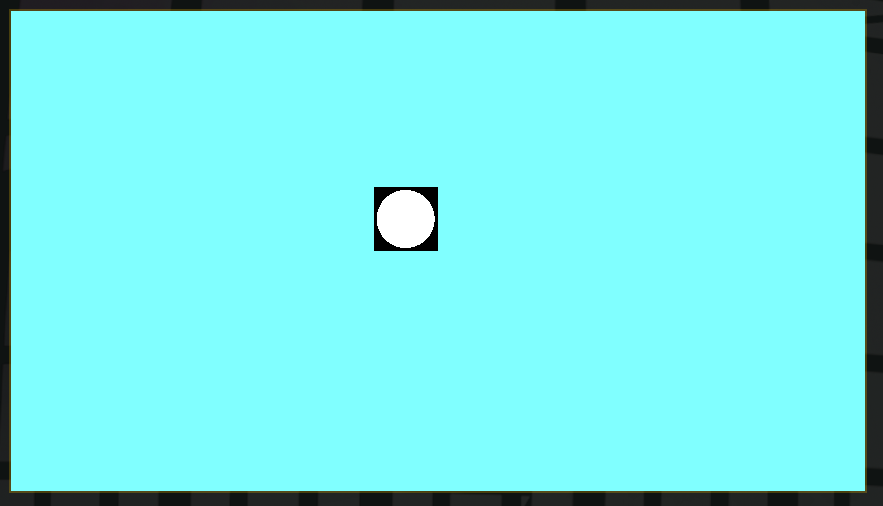
What happens when we accidently use `.convert()` rather than `.convert_alpha()`?
## Making snow
A common concept in pygame, that is built into my starter, is that you
typically want to reset the screen each and every frame. Building on this with
our new concept of blitting spotlights onto the screen we can make a random
noise of snow by blitting a bunch of images to the screen.
```python
import random
import pygame
from pygame_starter import Game
class MyGame(Game):
def __init__(self):
super().__init__()
self.img = pygame.image.load("assets/spotlight.png").convert_alpha()
def game(self):
self.screen.fill((128, 255, 255))
for in range(100):
self.screen.blit(
self.img,
(
random.randint(0, self.screen_size[0]) - self.img.get_size()[0],
random.randint(0, self.screen_size[1]) - self.img.get_size()[1],
),
)
if __name__ == "__main__":
game = MyGame()
game.run()
```
## the results