---
title: "💭 johanhaleby/kubetail: Bash script to tail Kubernetes logs from..."
description: "!https://github.com/johanhaleby/kubetail"
date: 2023-10-31
published: true
tags:
  - thought
template: link
---


<div class="embed-card embed-card-external">
  <a href="https://github.com/johanhaleby/kubetail" class="embed-card-link" target="_blank" rel="noopener noreferrer">
    <div class="embed-card-image">
      <img src="https://opengraph.githubassets.com/465b504347b3212688d07712076c0f5ca2dd765449157182a566ae652ad568b6/johanhaleby/kubetail" alt="GitHub - johanhaleby/kubetail: Bash script to tail Kubernetes logs from multiple pods at the same time — Bash script to tail Kubernetes logs from multiple pods at the same time - johanhaleby/kubetail" loading="lazy">
    </div>
    <div class="embed-card-content">
      <div class="embed-card-title">GitHub - johanhaleby/kubetail: Bash script to tail Kubernetes logs from multiple pods at the same time</div>
      <div class="embed-card-description">Bash script to tail Kubernetes logs from multiple pods at the same time - johanhaleby/kubetail</div>
      <div class="embed-card-meta">GitHub &middot; github.com</div>
    </div>
  </a>
</div>


Kubetail is a pretty sick bash script that allows you to tail logs for multiple pods in one stream.  Very handy when you have more than one replica running.

``` bash
wget https://raw.githubusercontent.com/johanhaleby/kubetail/master/kubetail
chmod u+x ./kubetail
```

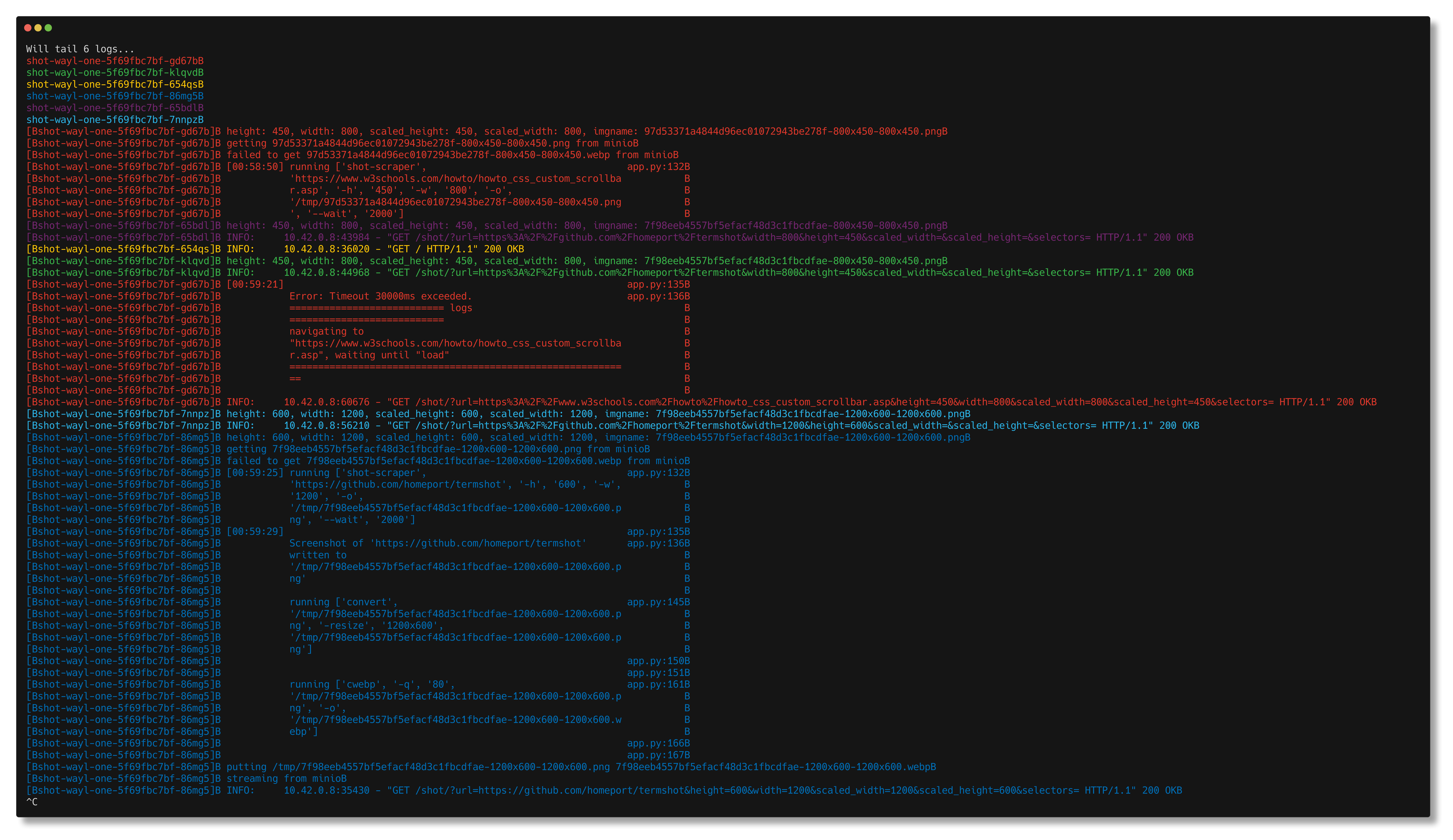
Now with kubetail I can tail all the logs for every shot-wayl-one pod in the shot namespace.

``` bash
./kubetail shot-wayl-one -n shot
```
![output from running the kubetail command](https://screenshots.waylonwalker.com/kubetail.png)

!!! note

    This post is a <a href="/thoughts/" class="wikilink" data-title="Thoughts" data-description="These are generally my thoughts on a web page or some sort of url, except a rare few don&#39;t have a link. These are dual published off of my..." data-date="2024-04-01">thought</a>. It's a short note that I make
    about someone else's content online <a href="/tags/thoughts/" class="hashtag-tag" data-tag="thoughts" data-count=2 data-reading-time=3 data-reading-time-text="3 minutes">#thoughts</a>
