---
title: "jesseduffield/lazydocker: The lazier way to manage everything ..."
description: "!https://github.com/jesseduffield/lazydocker"
date: 2024-03-07
published: true
tags:
  - containers
  - docker
  - thought
template: link
---


<div class="embed-card embed-card-external">
  <a href="https://github.com/jesseduffield/lazydocker" class="embed-card-link" target="_blank" rel="noopener noreferrer">
    <div class="embed-card-image">
      <img src="https://repository-images.githubusercontent.com/187335810/d5cecc00-9b1c-11e9-8abf-5649b23bce13" alt="GitHub - jesseduffield/lazydocker: The lazier way to manage everything docker — The lazier way to manage everything docker. Contribute to jesseduffield/lazydocker development by creating an account on GitHub." loading="lazy">
    </div>
    <div class="embed-card-content">
      <div class="embed-card-title">GitHub - jesseduffield/lazydocker: The lazier way to manage everything docker</div>
      <div class="embed-card-description">The lazier way to manage everything docker. Contribute to jesseduffield/lazydocker development by creating an account on GitHub.</div>
      <div class="embed-card-meta">GitHub &middot; github.com</div>
    </div>
  </a>
</div>


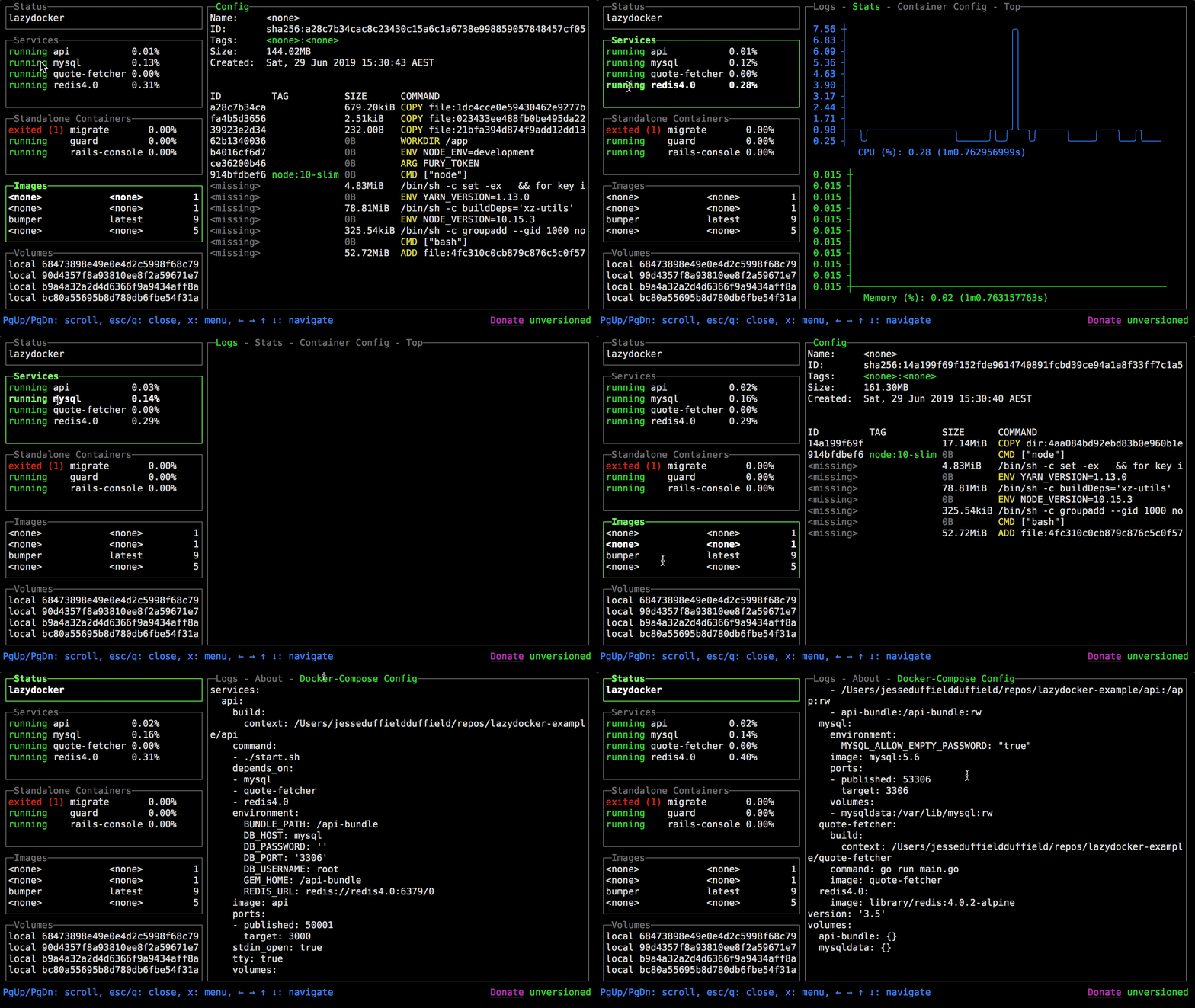
I've been using this for a few weeks now and it's fantastic.  It's reminds me of lazygit, it gives a nice quick interface into the things I need and it just works.  Yes I can git status to see what changed, then diff the files, then commit hunks, but lazygit can do that in just a few keystrokes.  lazydocker does this for docker. It gives me a nice view into whats running, what's eating up disk space, and the networks I have.  And if I see I have a bunch of exited containers, there is a bulk command righ there to clean them up.

> tldr `docker ps` on steroids
![](https://github.com/jesseduffield/lazydocker/blob/master/docs/resources/demo3.gif?raw=true)
