I’ve been using this one for awhile now, I have a post type that I only edit
from my phone, but I have all the post numbered. I set up a template in
obsidian for using templater, the template goes right in the static site repo,
I point templater to the templates directory and this has been working pretty
seamlessly for awhile.
---date:<% tp.date.now("YYYY-MM-DD HH:mm:ss") %>templateKey:myposttypepublished:truetags:- myposttype<%*const folder = "pages/myposttype";// get all files in the vault, keep only those inside the folderconst files = app.vault.getFiles().filter(f => f.path.startsWith(folder + "/"));// extract numeric suffixes from filenames like myposttype-123.mdconst nums = files.map(f => {const m = f.basename.match(/^myposttype-(\d+)$/);return m ? parseInt(m[1], 10) :null;}).filter(n => n !== null);// next number (start at 1 if none exist)const next = (nums.length ? Math.max(...nums) :0) + 1;// include the .md extension when movingconst newPath = `${folder}/myposttype-${next}`;await tp.file.move(newPath);%>---
Wikilinks are a core concept within obsidian to link to documents by Slug wrapped in double square brackets. These are commonly used within wiki site generators.
[[slug]]
Obsidian gives you a keybinding alt+enter to go to that file, but if it does not exist it will create the file for you in the root of the project. It’s a nice way to quickly make new documents.
Hotkey to open link under at the text cursor position while typing in edit mode I find myself not wanting to leave the keyboard for navigation and think a keyboard-only shortcut that could open a link at the text cursor position is at would be really handy for this case. Obsidian Forum · forum.obsidian.md Obsidian has a go to definition like feature, the keybind is alt+enter, I would have never guessed this one.
It was not obvious to me, but if you have a wikilink such as Trying Obsidian, you can jump to the file in obsidian, just like you can with lsp go to definition, the keybinding is alt + enter.
I’ve long used copier to create all of my posts for my blog, and it works
really well for my workflow. I think of a title, call a template, and give it
a title. out of the box obsidian did not seem to work this way. It seems like
it wants me to right click a file tree and make a new file using the tree, this
is not my jam.
Here is what I came up with to replace my til template.
---
date: <% tp.file.creation_date() %>
templateKey: til
title: <%*
  const originalFileName = await tp.system.prompt("Enter file name");
  const toTitleCase = str => str.replace(
    /\w\S*/g,
    txt => txt.charAt(0).toUpperCase() + txt.substr(1).toLowerCase()
  );
  const title = toTitleCase(originalFileName);
  tR += title + '\n'; // Add the title to the template result
-%>
published: true
tags:
  -
---
<%*
const fileName = originalFileName.toLowerCase().replace(/\s+/g, '-');
const newFilePath = `pages/til/${fileName}`;
await tp.file.move(newFilePath);
-%>

<% tp.file.cursor() %>
tR is a return value, and it gets placed directly into the place it is in the file
to.file.cursor() creates a tab-index point so I can tab into the content
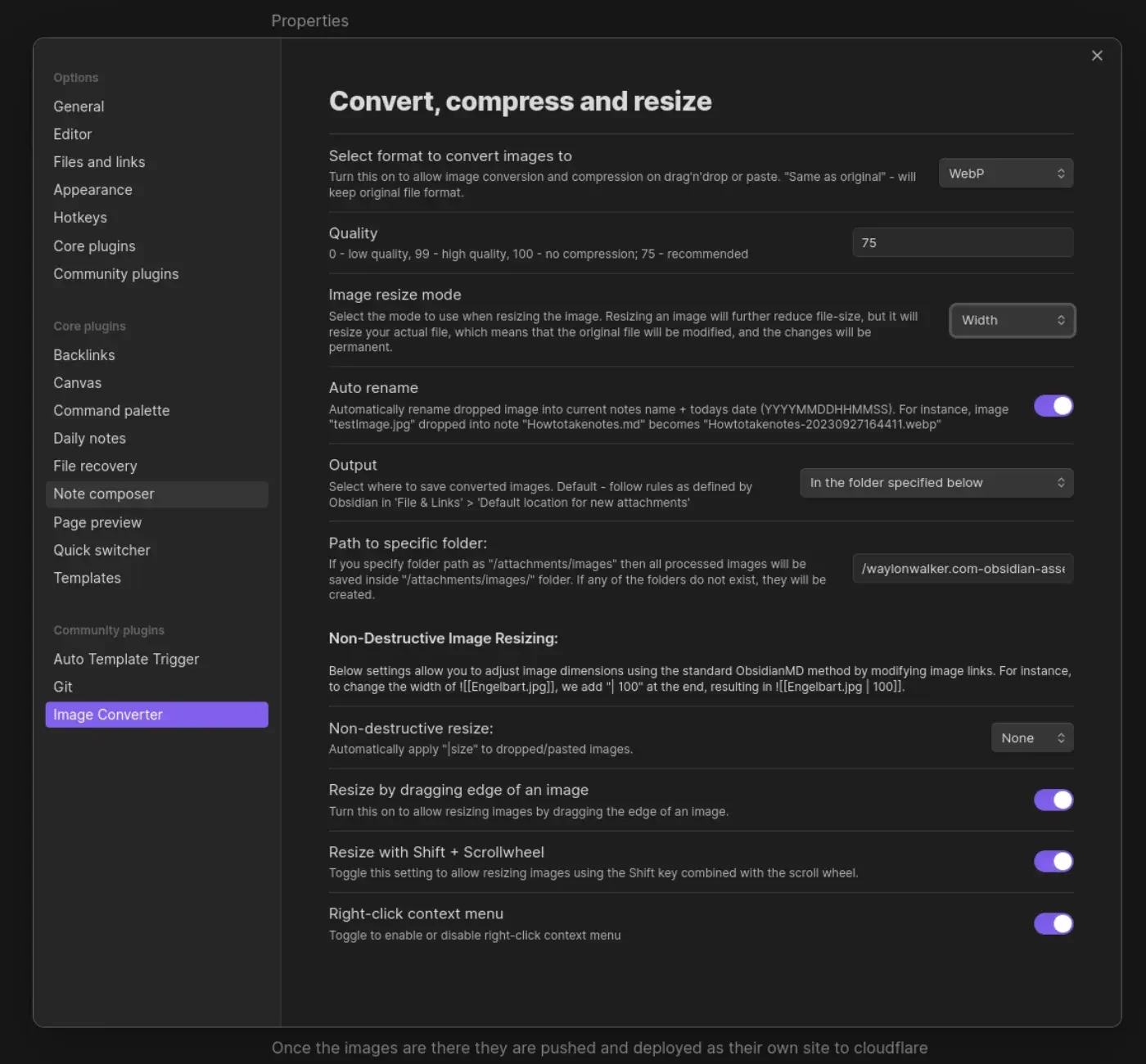
I’m giving obsidian a go as an editor for my blog and one of the main things I
want to fix in my workflow is the ability to quickly drop in images. on first
look through the community plugins I found Image Converter. I set it up to
convert to webp and drop them in a git submodule. I may make it something
other than a git repo in the future, but I’ve learned that adding images to my
blog repo quickly makes it heavy and hard to clone on other machines.
Once the images are there they are pushed and deployed as their own site to
cloudflare pages. I made a quick edit to my sick wikilink hover plugin for
my blog. if it sees a wikilink ending in webp, convert the domain over to
obsidian-assets.waylonwalker.com, and clean up the remaining "! " that the
python md-it library leaves behind.
Note
after first try I needed to increase the width from 600 to 1400, the image in this post was unreadable.