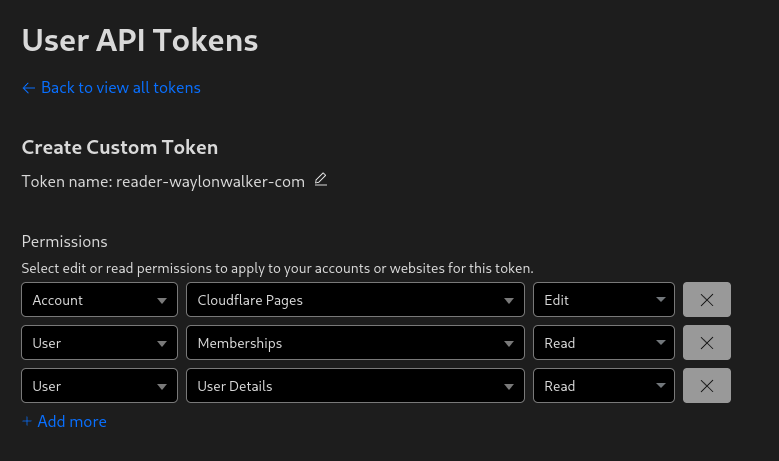
Before deploying to cloudflare pages with wrangler you need a cloudflare api token. You can get one at dash.cloudflare.com/profile/api-tokens.
Install Wrangler #
Next install wrangler using npm.
npm i -g wrangler
Create a Project #
Before you deploy to cloudflare pages you need to create a project. You might already have one, or you might want to create one in the webui, but you have the option to create it at the command line with wrangler.
npx wrangler pages deploy markout --project-name reader-waylonwalker-com --branch markout
Deploy #
Now you can deploy your static application using wrangler to cloudflare pages.
In this example I have my application built into the markout directory, and since the production branch is named
markoutI need to pass that in here as well.
wrangler pages deploy markout --project-name reader-waylonwalker-com --branch markout