Today I Learned

Short TIL posts

169 posts latest post 2026-06-04 simple view
Publishing rhythm
May 2026 | 4 posts

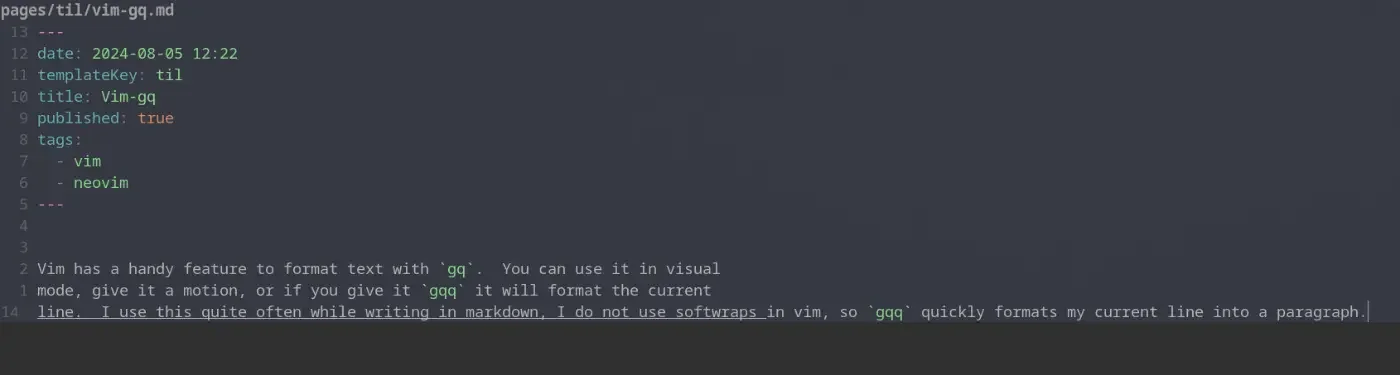
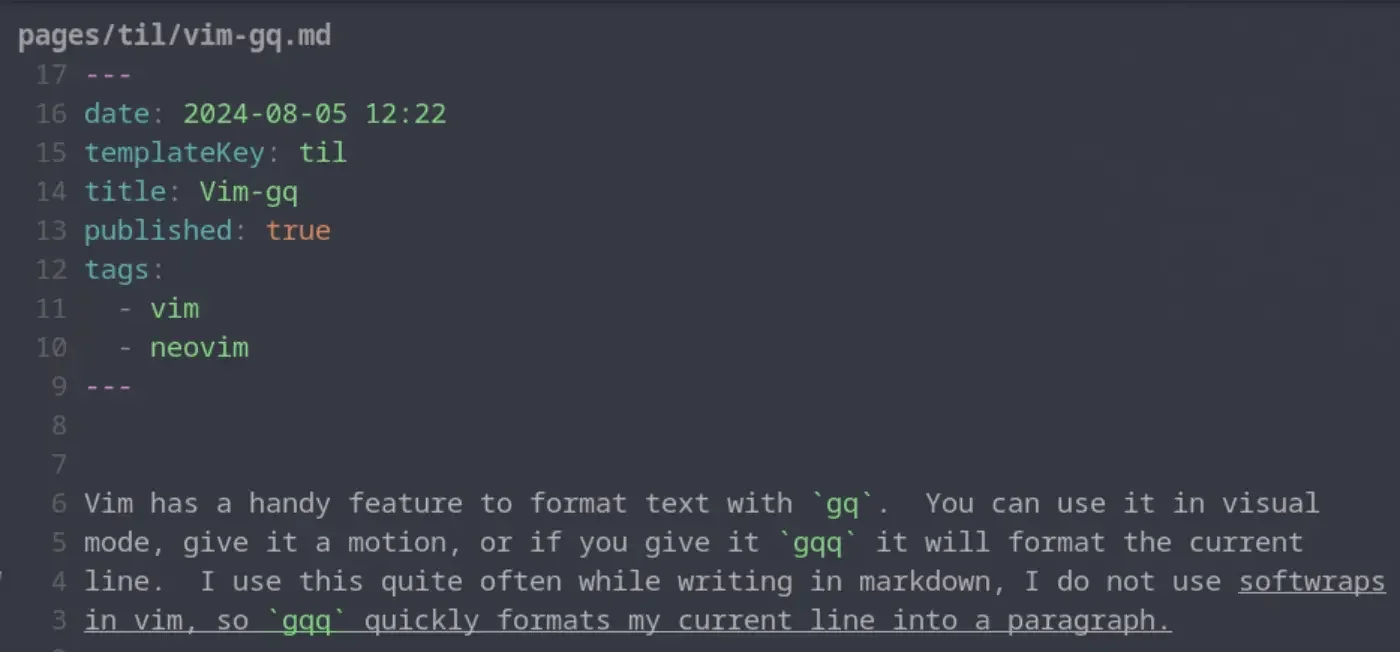
Vim has a handy feature to format text with gq. You can use it in visual mode, give it a motion, or if you give it gqq it will format the current line. I use this quite often while writing in markdown, I do not use softwraps in vim, so gqq quickly formats my current line into a paragraph. Once I have done this for a single line one time I typically switch to the motion for around paragraph gqap to format the whole paragraph and not just the current line.

before formatting #

vim-gq-20240805122634078.webp

after formattting #

vim-gq-20240805122700026.webp

A slug is the part of the url that comes after the domain. Commonly matches the file name of a markdown file many blogging systems. These are typically human readable, unique identifiers for pages within the site.

Wikilinks are a core concept within obsidian to link to documents by Slug wrapped in double square brackets. These are commonly used within wiki site generators.

[[slug]]

Obsidian gives you a keybinding alt+enter to go to that file, but if it does not exist it will create the file for you in the root of the project. It’s a nice way to quickly make new documents.

It was not obvious to me, but if you have a wikilink such as Trying Obsidian, you can jump to the file in obsidian, just like you can with lsp go to definition, the keybinding is alt + enter.

I’ve long used copier to create all of my posts for my blog, and it works really well for my workflow. I think of a title, call a template, and give it a title. out of the box obsidian did not seem to work this way. It seems like it wants me to right click a file tree and make a new file using the tree, this is not my jam.

Here is what I came up with to replace my til template.

---
date: <% tp.file.creation_date() %>
templateKey: til
title: <%*
  const originalFileName = await tp.system.prompt("Enter file name");
  const toTitleCase = str => str.replace(
    /\w\S*/g,
    txt => txt.charAt(0).toUpperCase() + txt.substr(1).toLowerCase()
  );
  const title = toTitleCase(originalFileName);
  tR += title + '\n'; // Add the title to the template result
-%>
published: true
tags:
  -
---
<%*
const fileName = originalFileName.toLowerCase().replace(/\s+/g, '-');
const newFilePath = `pages/til/${fileName}`;
await tp.file.move(newFilePath);
-%>

<% tp.file.cursor() %>
  • tR is a return value, and it gets placed directly into the place it is in the file
  • to.file.cursor() creates a tab-index point so I can tab into the content

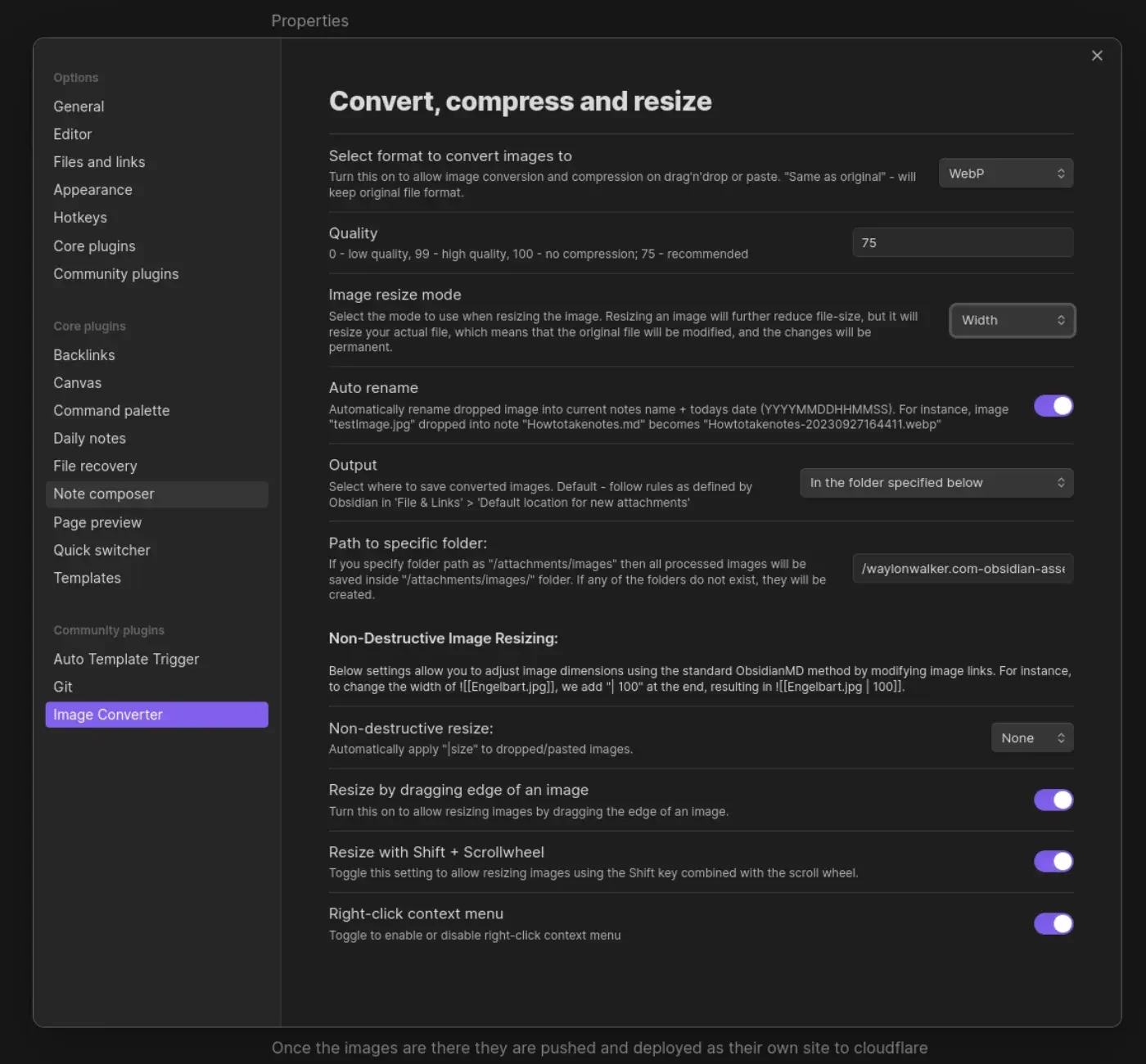
I’m giving obsidian a go as an editor for my blog and one of the main things I want to fix in my workflow is the ability to quickly drop in images. on first look through the community plugins I found Image Converter. I set it up to convert to webp and drop them in a git submodule. I may make it something other than a git repo in the future, but I’ve learned that adding images to my blog repo quickly makes it heavy and hard to clone on other machines.

obsidian-image-converter-20240731211310793.webp

Once the images are there they are pushed and deployed as their own site to cloudflare pages. I made a quick edit to my sick wikilink hover plugin for my blog. if it sees a wikilink ending in webp, convert the domain over to obsidian-assets.waylonwalker.com, and clean up the remaining "! " that the python md-it library leaves behind.

Note

after first try I needed to increase the width from 600 to 1400, the image in this post was unreadable.

This is part of me getting set up and Trying Obsidian

I’ve had a couple of uploads to twitter fail recently and has been a pain. I tried some online converters for convenience, but none of them worked. I reached out to chatgpt and found succeess with this ffmpeg command.

ffmpeg -i input.mp4 \
  -vf "scale=trunc(oh*a/2)*2:min(720\,trunc(ih*a/2)*2)" \
  -c:v libx264 -profile:v high -level:v 4.1 \
  -b:v 3500k -maxrate 3500k -bufsize 7000k \
  -pix_fmt yuv420p \
  -c:a aac -b:a 128k -ar 44100 \
  -movflags +faststart \
  output.mp4

I’ve started leaning in on kubernetes kustomize to customize my manifests per deployment per environment. Today I learned that it comes with a diff command.

kubectl diff -k k8s/overlays/local

You can enable color diffs by using an external diff provider like colordiff.

export KUBECTL_EXTERNAL_DIFF="colordiff -N -u"

You might need to install colordiff if you don’t already have it.

sudo pacman -S colordiff

sudo apt install colordiff

Now I can try out kustomize changes and see the change with kustomize diff.

kubectl dash k

Kubernetes ships with a feature called kustomize that allows you to customize your manifests in a declarative way. It's a bit like helm, but easier to use. I...

1 min

Animal well does not let you remap keys, and really doesn’t even inform you that it is keyboard compatible. I had to play around and discover the keymap, which can be a bit tricky on a 40% board. This is what I found.

  • wasd - move
  • space - jump / a
  • enter - interact / b
  • x - throw
  • c - inventory
  • 1 - left item / rb
  • 2 - open item menu / triangle
  • 3 - right item / lb

I’ve been using fastapi more and more lately and one feature I just started using is background tasks [[ thoughts-333 ]].

Seealso

basic diskcache example <a href="/python-diskcache/" class="wikilink" data-title="How I setup a sqlite cache in python" data-description="When I need to cache some data between runs or share a cache accross multiple processes my go to library in python is . It&#39;s built on sqlite with just enough..." data-date="2022-03-29">How I setup a sqlite cache in python</a>

One Background Task per db entry #

I am using it for longer running tasks and I don’t want to give users the ability to spam these long running tasks with many duplicates running at the same time. And each fastapi worker will be running in a different process so I cannot keep track of work in memory, I have to do it in a distributed fashion. Since they are all running on the same machine with access to the same disk, diskcache is a good choice

What I need #

  • check if a job is running
  • automatically expire jobs

Less infrastructure complexity #

My brain first went to thinking I needed another service like redis running alongside fastapi for this, then it hit me that I can use diskcache.

How I used diskcache #

Here is how I used diskcache to debounce taking screenshots for a unique shot every 60 seconds.

from diskcache import Cache

jobs_cache = Cache("jobs-cache")

@shots_router.get("/shot/{shot_id}", responses={200: {"content": {"image/webp": {}}}})
@shots_router.get("/shot/{shot_id}/", responses={200: {"content": {"image/webp": {}}}})
async def get_shot_by_id(
    background_tasks: BackgroundTasks,
    request: Request,
    shot_id: int,
):
    shot = Shot.get(shot_id)
    # check if the shot exists and return it or continue to create it.


    is_running = jobs_cache.get(shot_id)

    if is_running:
        expire_time = datetime.fromtimestamp(jobs_cache.peekitem(expire_time=True)[1]) - datetime.now()
        console.print("[red]Already running store_shot: ", shot_id)
        console.print(f"[red]Can retry in {expire_time.seconds}s")
    else:
        jobs_cache.set(shot_id, True, 60)
        background_tasks.add_task(
            store_shot,
            shot_id=shot_id,
        )

Yesterday I realized that I have overlooked the default installation method of the sealed secrets controller for kubernetes kubeseal this whole time an jumped straight to the helm section. I spun up a quick kind cluster and had it up quickly. I can’t say this is any better or worse than helm as I have never needed to customize the install. According to the docs you can customize it with [[ kustomize ]] or helm.

# option if you don't have a cluster try with kind

kind create cluster

curl -L https://github.com/bitnami-labs/sealed-secrets/releases/download/v0.27.0/controller.yaml > controller.yaml

kubectl apply -f controller.yaml

I’ve long had issues with my qmk keyboard media keys on my arch install, I always thought it was on the keyboard end. Today I learned that playerctl fixes this.

paru -S playerctl

Once it is installed all of my media keys started working right away.

I played around with it a bit more and came up with a way to display the current playing title in my notifictations.

notify-send "`playerctl metadata --format '{{lc(status)}}:{{artist}}-{{album}}-{{title}}'`"

Today I am playing around with tailwind, flexing the css muscle and learning how to build new and different layouts with it.

I created a new post template that mimics a terminal look in css where I could inject the post title, description, and other frontmatter elements.

Tailscale allows you to ssh into all of your tailscale machines, it busts through firewalls and accross networks without complex setup. If you have used tailscale before this is an obvious no brainer. What is not obvious is that you can configure tailscale to allow ssh connections from devices within your tailnet without even a ssh daemon process running right through the tailscale daemon.

tailscale status
tailscale set --ssh

I picked this up from the tailscale youtube channel.

Tailscale

I just implemented a latest blog post link in Markata by asking for the first post slug from the blog feed. The implementation uses the jinja_md plugin to render jinja against the markdown and a tag to redirect.

My latest blog post is [[ {{ markata.feeds.blog.posts[0].slug }} ]].  Click the
link if you are not automatically redirected.

<meta http-equiv="Refresh" content="0; url='/{{ markata.feeds.blog.posts[0].slug }}'" />  

Setting up the feed #

Feeds are setup in markata.toml configuration. They provide a handy way to create an html feed, rss feed, and quickly reference a filtered set of posts like this.

# you will need to enable the jinja_md plugin along with the defaults
[markata]
hooks = [
    "markata.plugins.jinja_md",
    "default",
    ]

# set up the blog feed
[[markata.feeds]]
slug = 'blog'
template = "feed.html"
filter = "date<=today and templateKey in ['blog-post'] and published"
sort = "date"
reverse = true

For more information on markata check out the full markata post.

just has been by go to tool for saving commands in a way that I can replay them and have team members replay them without relying on the shell history of any given machine. This is my go to default step, it lets you pick a just command to run with a fuzzy picker.

default:
  @just --list

TIL how to display the list of nfs mounts on your network.

showmount -e

You can even look for mounts of other machines on your network.

showmount -e <hostname>

To allow access only to the , you can pass add the Resource field to the User Policy when you create a new token.

{
  "Version": "2012-10-17",
  "Statement": [
    {
      "Effect": "Allow",
      "Action": [
        "admin:*"
      ]
    },
    {
      "Effect": "Allow",
      "Action": [
        "kms:*"
      ]
    },
    {
      "Effect": "Allow",
      "Action": [
        "s3:*"
      ],
      "Resource": [
        "arn:aws:s3:::<bucket>",
        "arn:aws:s3:::<bucket>/*"
      ]
    }
  ]
}