Ping 59
remember rule 4
agents are never done
I just learned that forgejo has a push to create repo feature and it is a gamechanger. Upon first try it didn’t work, with just a couple of environment variables I was up and running with push to create.
notify.wayl.one on main is 📦 v0.1.62 v3.14.4 NO PYTHON VENV SET USING SYSTEM NVIM
❯ git remote add origin https://git.waylonwalker.com/waylon/notify.wayl.one
notify.wayl.one on main is 📦 v0.1.62 v3.14.4 NO PYTHON VENV SET USING SYSTEM NVIM
❯ git push
remote: Push to create is not enabled for users.
fatal: unable to access 'https://git.waylonwalker.com/waylon/notify.wayl.one/': The requested URL returned error: 403
So I added the following environment variables.
Author: Waylon S. Walker <[email protected]>
Date: Wed May 6 21:56:53 2026 -0500
enable push to create
diff --git a/k8s/forgejo/deployment.yaml b/k8s/forgejo/deployment.yaml
index d77daab..9346763 100644
--- a/k8s/forgejo/deployment.yaml
+++ b/k8s/forgejo/deployment.yaml
@@ -91,6 +91,10 @@ spec:
value: "0.0.0.0"
- name: FORGEJO__server__HTTP_PORT
value: "3000"
+ - name: FORGEJO__repository__ENABLE_PUSH_CREATE_USER
+ value: "true"
+ - name: FORGEJO__repository__ENABLE_PUSH_CREATE_ORG
+ value: "true"
- name: FORGEJO__database__DB_TYPE
value: postgres
- name: FORGEJO__database__HOST
https://github.com/WaylonWalker/homelab-argo/commit/b2e953bc12
Tried again, and it just worked!
notify.wayl.one on main is 📦 v0.1.62 v3.14.4 NO PYTHON VENV SET USING SYSTEM NVIM
❯ git push
Enumerating objects: 171, done.
Counting objects: 100% (171/171), done.
Delta compression using up to 12 threads
Compressing objects: 100% (169/169), done.
Writing objects: 100% (171/171), 176.22 KiB | 16.02 MiB/s, done.
Total 171 (delta 99), reused 0 (delta 0), pack-reused 0 (from 0)
remote: Resolving deltas: 100% (99/99), done.
To https://git.waylonwalker.com/waylon/notify.wayl.one
* [new branch] main -> main
nless is a seriously sick tui for exploring streaming data. It makes it seriously simple to pivot (U), drill in (Enter), sort (s). It leave breadcrumbs as you go and you can press q to back out.
Play with your kubernetes events. Ya, my homelab is far from perfect, dont judge.
kubectl get events -A -w | uvx --from nothing-less nless
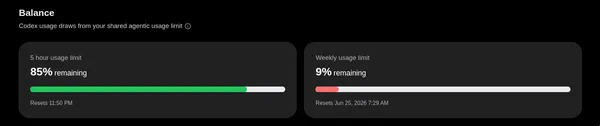
almost left tokens on the table
markata-go now has web awesome integration for image compare. It renders a
nice web component with a slider to compare two images.


It’s done with a class wrapper around the image components.
::: wa-comparison


:::
Without markata-go’s web awesome integration, the above would look like:
<script type="module">
import 'https://ka-f.webawesome.com/[email protected]/components/comparison/comparison.js';
</script>
<wa-comparison>
<img
slot="before"
src="https://dropper.wayl.one/file/d628ffba-de18-4fff-91a8-700f037df119.webp"
alt="Grayscale version of kittens in a basket looking around."
/>
<img
slot="after"
src="https://dropper.waylonwalker.com/file/ca30665f-1a15-453e-aab8-221901c7df99.webp"
alt="Color version of kittens in a basket looking around."
/>
</wa-comparison>
Today I found a way to test model syntax, cause the clankers always get the exact model name that copilot wants wrong.
copilot --model claude-sonnet-4.5 -p "Reply with OK" --allow-all --no-ask-user -s
copilot --model gpt-5.4 -p "Reply with OK" --allow-all --no-ask-user -s