Blogging and blog setups
Jack Baty's blog — posts, journal, notes.
baty.net · baty.net [1]
Damn this hits. I’m trying to change it up, but I’m far on the right. constantly greasing the pipeline and writing about it. or lately just not writing at all.
[2]
Shots fired from Rakhim [3]
References:
[1]: https://baty.net/notes/2026/08/blogging-and-blog-setups/
[2]: https://dropper.waylonwalker.com/api/file/43533900-fc9f-4dcb-842f-207d8154aa70.webp
[3]: https://rakhim.org/honestly-undefined/19/
Publishing rhythm

thinking about headlines
I updated [plaindown](https://waylonwalker.com/) to support _cool_ heading formats, and I'm digging it, markata you are next. Time to make the web weird again and really start writing more again.

---
## The code to make it ~~easy~~ ^**fun**^ to write
Here's the `markdown` that wrote it followed by the output here.
``` md
# Build **good places** for _interesting people_.
## Make room for ==the weird idea.==
Some normal paragraph text between headings.
## Build a `personal web` that feels ^**yours**^.
More ordinary prose.
## Follow the [~small~ web](https://waylonwalker.com), not the cr^owd^.
## Make a ~~perfect~~ memorable site.
## Leave space for ==**strange little ideas.**==
## Sometimes the ~~obvious answer~~ ==weird answer== is the interesting one.
## A **good theme** makes _quiet words_, `technical words`, and ==loud words== belong together.
## ==A...
-
I really like the art style of this game. Love that someone is making something Hollow Knight like in their own style. The bosses though… oddly a little close to hollow knight characters.
[1]
Those flowers
[2]
How is this not one of the city guards
References:
[1]: https://dropper.waylonwalker.com/api/file/e13a0d9a-a012-49a9-b7ab-e3fb9c4d3e84.webp
[2]: https://dropper.waylonwalker.com/api/file/f3366447-2474-40e5-b1bb-ac136464f70d.webp
-
Interesting tangent here on sleep, Adam talks about jet lag and his experience taking abien to shift his sleep schedule. In his experience it helped fix the sleep schedule, but did nothing to change how he actually felt during that time of re orienting in a new drastically different time zone. He was reminded of all of the sleep studies they did on mythbusters and how they found that it did not matter so much how much “sleep” you got that lying there still and quiet was nearly as effective as sleeping. Knowing this will, like others mentioned, will greatly relieve the sleep pressure I feel on nights of restlessness.
2026-08-04
## md
* Contact template
* Task completion
* Connections graph
* Public link
* Paste upload to dropper style API, configurable
* Open site button
* Well-known repo open
* Mobile ingest url - wrap link in og image
* One line link button to ingest as embed
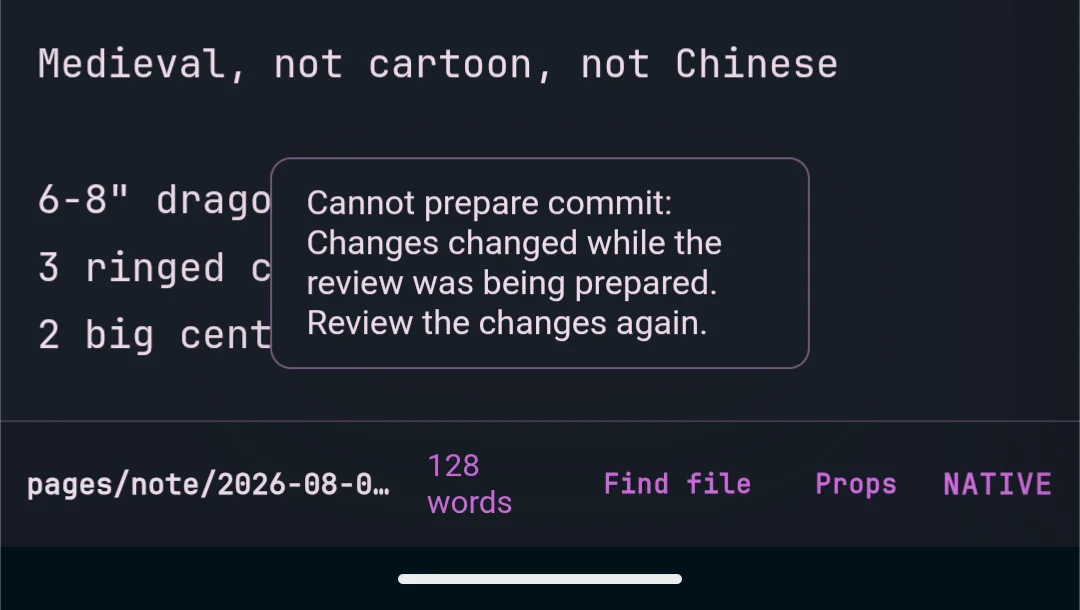
* Save always pops up a toast that it's not ready
## remember add allen key to kit

## Dragons
Medieval, not cartoon, not Chinese
6-8" dragon 5qty hanging tail
3 ringed center piece
2 big centerpiece
### centerpiece??

https://makerworld.com/en/models/1948257-dragon?from=search#profileId-2093196
### skull


Helix has got to have one of the easiest configurations. It is this easy to get the markata-go lsp in helix.
markata-go lsp setup --editor helix
# Helix languages.toml (usually ~/.config/helix/languages.toml)
[language-server.markata-go]
command = "markata-go"
args = ["lsp"]

[[language]]
name = "markdown"
language-servers = ["markata-go"]
-
I had no idea how these pipes work, I’ve accidentally spawned so many that have sat there and waited for something to come down the pipe, but did not know this is what was happening.
-
Every Dax Raad interview is worth a listen, this one does not disappoint. They talk about running local dev setups in a vm in the cloud. Always connected, seemlessly upgrading hardware without you needing to buy sell or trade a thing. They talk about the one model that drove them into psycosis, I’m pretty sure it was 5.6 sol, but it could not be revealed at the time. Software engineering is still required alive and well even through the agentic era here.
-
Great reference to 11 laws of the universe.
Bluesky
Bluesky Social · bsky.app [1]
So much nuance in model selection its hard to keep up.
References:
[1]: https://bsky.app/profile/thdxr.com/post/3mqsgohylgd2v
-
Completely missing the point of physical media. I don’t see why preserving physical media is a win for xbox right now. The game is not on disk. In 30 years when the game servers are gone, I wont be able to play the game. I wont be able to buy cheap used copies in 6 months as people beat the game. I wont be able to trade in games I’ve beat to get a different game at a low cost. own nothing and be happy.
Ping 65
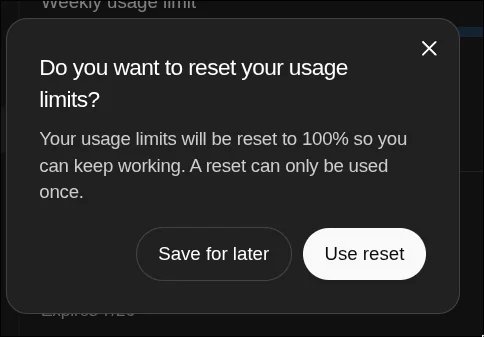
Usage Resets??
Apparently you can use a reset to completely reset your codex usage limits. I
never knew these existed and apparently I have some expiring soon. Not sure if
they auto apply and this is why I get the weirdest reset experience on the
usage chart or what.

I have 3? they expire soon, how many have I missed out on.
One time only
I don’t run into windows file endings very often, so when I see little ^M’s
all over your file, I think “shit I know what these are and cant remember”
They represent the windows carriage return.
Linux vs Unix Line Endings #
The difference here is that Unix uses \n and Linux uses \r\n, going all the
way back to the typewriter it represents the two keys that a typist would have
to press to get a new line and return the carriage back to the beginning.
Vim/Neovim #
When I open up a file and see this garbage all over, its not cozy, I want them gone, I dont want them all over my editor. I’m not sure what this would look like on windows, I haven’t been able to afford a windows machine in years, but its gross on my machine.
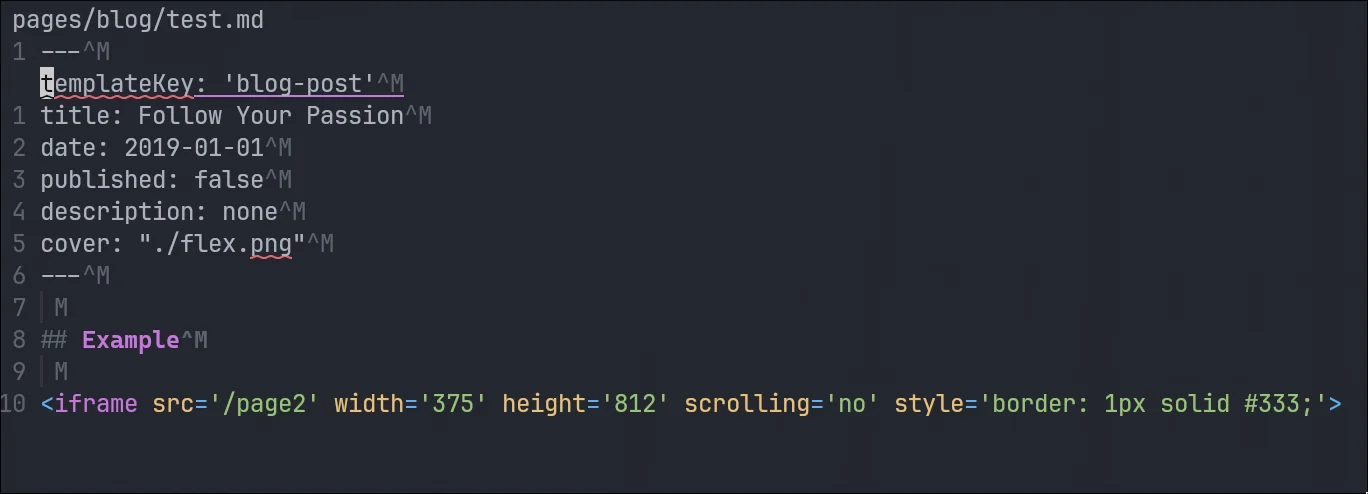
Remove them with a substitution command from normal mode.
:%s/\r//g
removing carriage returns with a substitution command
I ran into an issue where my pinentry was unable to connect, blocking me from
doing commits. You can use this to continue signing commits.
export GPG_TTY=$(tty)
gpg-connect-agent updatestartuptty /bye

printf test | gpg \
  --local-user 9A47900E81415D65C32C630066E2BF2B4190EFE4 \
  --pinentry-mode loopback \
  --sign >/dev/nul
-
Interesting thoughts from a real OG [1] Kent Beck. He argues we are whitnissing the biggest advancement in computing in 40 years. For 40 years we have been almost exclusively writing in compiled languages. Languages that output to some sort of binary compiled assembly instructions for each processor type. Before that it was all hand written instructions directly to CPU. Now we are seeing the genie revolution. The genie is good a writing in many different programming languages given english prompts. It loves to complete problems and is not afraid to write lots of code very quickly. Its quite good at skirting around our best judgement in order to accomplish the goal we set.
Some take aways from this talk is that NO ONE knows what the fuck is next. No one knows the best ways to use these things. Everyone has their own opinion wrapped around their experience that might be wildly different than yours. It seems clear this is changing every day and ways no one can measure, predict, or prepare for. So much sits in the hands of model labs and model providers. Without real access to any of it, its all magic.
References:
[1]: /og/