Posts tagged: kubernetes

All posts with the tag "kubernetes"

61 posts latest post 2026-03-23
Publishing rhythm
Mar 2026 | 2 posts

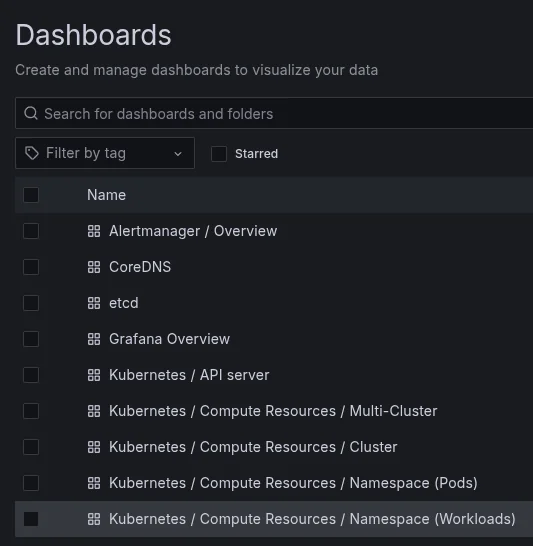
I’m trying to learn proper logs, monitoring, otel, and grafana. Today I imported a bunch of pre-made k8s dashboards and made a few of my own for specific apps, and it made me want to know how I can turn my own custom dashboards into infrastructure as code. Turns out grafana makes it pretty easy to do this, if you have the grafana dashboard sidecar running. It will pick up any ConfigMap with the grafana_dashboard label and import it.

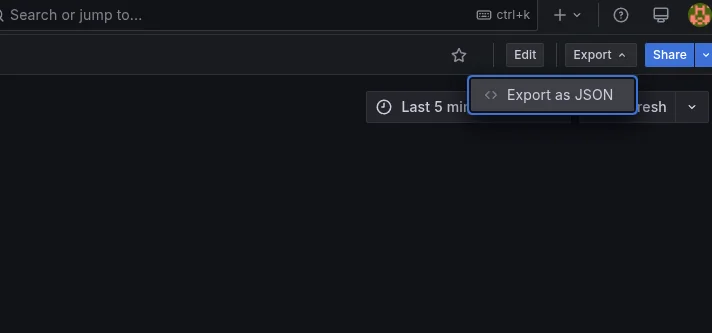
Go to Dashboards -> Pick a Dashboard -> Export -> JSON.
Diun, looks like a very interesting tool to monitor for image updates, it does not make any change, it only makes notifications. This feels like an easy start to getting image updates started with low effort, keep git ops, but requires manual updates. I see this as a tool that would be a great start and pair well with automated image updaters to ensure they are working as expected.

Keel looks interesting, I might give it a try as a simple image updater. I’m unsure if it fits my gitops patterns though. I like to keep everything defined in git, I don’t like drift outside of that so Keel might not be the thing I want.

Changing k8s Storage Class - Migration Job

I’m setting up longhorn in my homelab, and I ran into an issue where I initially setup some pvcs under longhorn, and later realized that to get longhorn to snapshot and backup I needed to hand edit volumes after the fact or change storage class. I’m all in on gitops so option 1 was not an option. So changing storageclass it is.

Now the issue is that you CANNOT mutate storageclass on a provisioned pvc, it is an immutable attribute.

This migration job will create a new pvc with the new storageclass and move the data from the old pvc to the new pvc.

...

Kelsey says several times in this interview, you don’t need kubernetes. If you are running one node you don’t need kubernetes. My question though is, would you use kubernetes? Ya I get it if you are a web developer, data scientist, backend dev, but if you are looking to bee a whole ass engineer, or infrastructure engineer, you know kubernetes, Should you use kubernetes on single node?

slow nfs performance

I’m running a two node k3s cluster at home, I thought I could simply mount an nfs share on each worker node, and essentially have the same storage accross all nodes. I’m already learning why this is not reccommended.

I’ve been running some cronjobs and argo workflows on the second node for awhile, these are things that run in the background and I don’t care if they take a bit longer to keep my master node freed up for more critical work.

I just started trying to build this site in a cronjob, It was taking 20 minutes to build, and something I noticed was that markata was taking minutes to run glob ( search for files ), normally this happens in a few ms and I never notice this step.

...

This is a really amazing documentary of argocd. I got into k8s pretty late in the game. Which is pretty typical for me. As I went to use k8s for the first time i was using workflows, then cd. both of these tools had a level of polish that made them seem like they had been there forever and not quite as young as they actually are.

I thought it was interesting how they focused on how the name must be two syllables or less, start with a or b, logo needs to be cutesy funny and recognizable seemed interesting, but puts them at the top of lists and makes them look like they’ve been there forever.

After first setting up a new k3s instance your kubeconfig file will be located in /etc/rancher/k3s/k3s.yaml.

You cans use it from here by setting $KUBECONFIG to that file.

export KUBECONFIG=/etc/rancher/k3s/k3s.yaml

Or you can copy it to ~/.kube/config

cp /etc/rancher/k3s/k3s.yaml ~/.kube/config

If you have installed k3s on a remote server and need the config on your local machine then you will need to modify the server address to reflect the remote server.

...

I’ve started leaning in on kubernetes kustomize to customize my manifests per deployment per environment. Today I learned that it comes with a diff command.

kubectl diff -k k8s/overlays/local

You can enable color diffs by using an external diff provider like colordiff.

export KUBECTL_EXTERNAL_DIFF="colordiff -N -u"

You might need to install colordiff if you don’t already have it.

sudo pacman -S colordiff sudo apt install colordiff

Now I can try out kustomize changes and see the change with kustomize diff.

kubectl dash k

Kubernetes ships with a feature called kustomize that allows you to customize your manifests in a declarative way. It's a bit like helm, but easier to use. I...

1 min

kind cluster

kind{.hoverlink} is a very useful tool to quickly standup and teardown kubernetes clusters. I use it to run clusters locally. Generally they are short lived clusters for trying, testing, and learning about kubernetes.

Kind is Kubernetes in Docker, its very fast to get a new cluster up and running. Other than checking a box in docker desktop it is the easiest way currently to get a cluster up and running. I’ve used docker desktop for k8s before I really developed on k8s and it was buggy at the time and sometimes started and sometimes didn’t, when it didnt I had no idea how to fix it. I’d suggest kind as the best option to get a cluster up and running locally.

If you are looking for a production ready cluster this is not it. I really like

...

Yesterday I realized that I have overlooked the default installation method of the sealed secrets controller for kubernetes kubeseal this whole time an jumped straight to the helm section. I spun up a quick kind cluster and had it up quickly. I can’t say this is any better or worse than helm as I have never needed to customize the install. According to the docs you can customize it with [[ kustomize ]] or helm.