Posts tagged: copier

All posts with the tag "copier"

5 posts latest post 2025-06-19
Publishing rhythm
Jun 2025 | 1 posts

Copier has a few quirks with vcs that I just discovered by trying to test out some changes. I may have some config that I have long forgotten about somewhere deep in my dotfiles, I don’t think so, but id love to be wrong and corrected, please reach out.

I tried throwing everything at this template to make it work. I tried a bunch of flags that did not work. I tried making commits to the local repo to get rid of the dirty warning. I really wanted to test new changes locally without committing and pushing untested and potentially broken changes.

uvx copier copy ../markata-blog-starter . uvx copier copy gh:waylonwalker/markata-blog-starter@develop . uvx copier copy ../markata-blog-starter . -wlg --trust

What Works - –vcs-ref #

Finally after trying everything to get the local copy to work, and my guess of @branch not working I found this to work. It does require me to go to the repo on my develop branch.

uvx copier copy gh:waylonwalker/markata-blog-starter --vcs-ref develop .

...

I’ve long used copier to create all of my posts for my blog, and it works really well for my workflow. I think of a title, call a template, and give it a title. out of the box obsidian did not seem to work this way. It seems like it wants me to right click a file tree and make a new file using the tree, this is not my jam.

Here is what I came up with to replace my til template.

I recently had to update my copier-gallery command to trust my own templates because some of them have shell scripts that run afterwards. Be warned that this could be a dangerous feature to run on random templates you get off the internet, but these are all mine, so if I wreck it its my own fault.

copier copy --trust <template> <destination>

All the the copier copy api can be found with help.

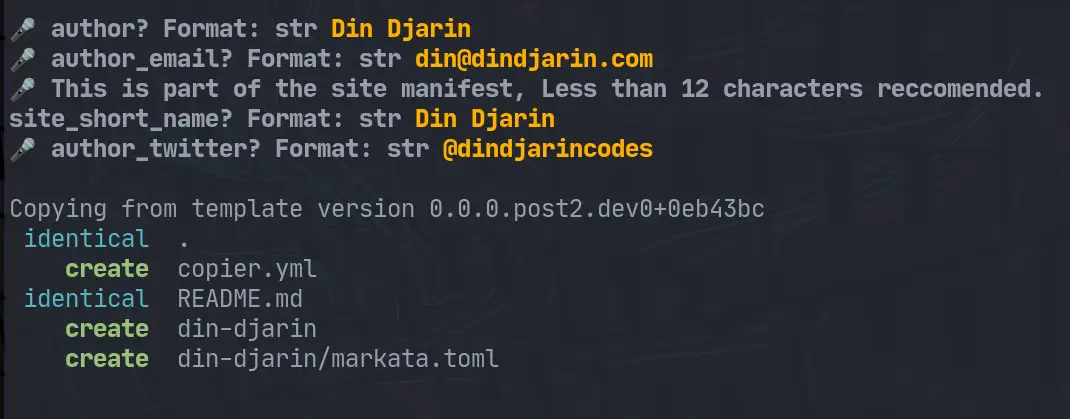
It’s no secret that I love automation, and lately my templating framework of choice has been copier. One hiccup I recently ran into was having spaces in my templated directory names. This makes it harder to run commands against as you need to escape them, and if they end up in a url you end up with ugly %20 all over.

Yes the solution comes from a competing templating framework.

I install copier with pipx, so I need to inject cookiecutter in to my copier environment to use the slugify filter.

pipx inject copier cookiecutter

If you are using a normal virtual environment you can just pip install it.

...

Copier < 6.0.0b0 considered dangerous

Copier is a fantastic templating library written in python, but older versions have a dangerous bug if you are using it inside of existing directories.

As of May 15, 2022, the stable release of copier now includes these changes, if you have not already make sure you update.

I Use copier several times per day and get fantastic benefit from this project, this post is not intended to crap all over copier in any way, but is rather a PSA for other users who do use copier like I do so that they know the dangers of using copier inside an existing directory.

...

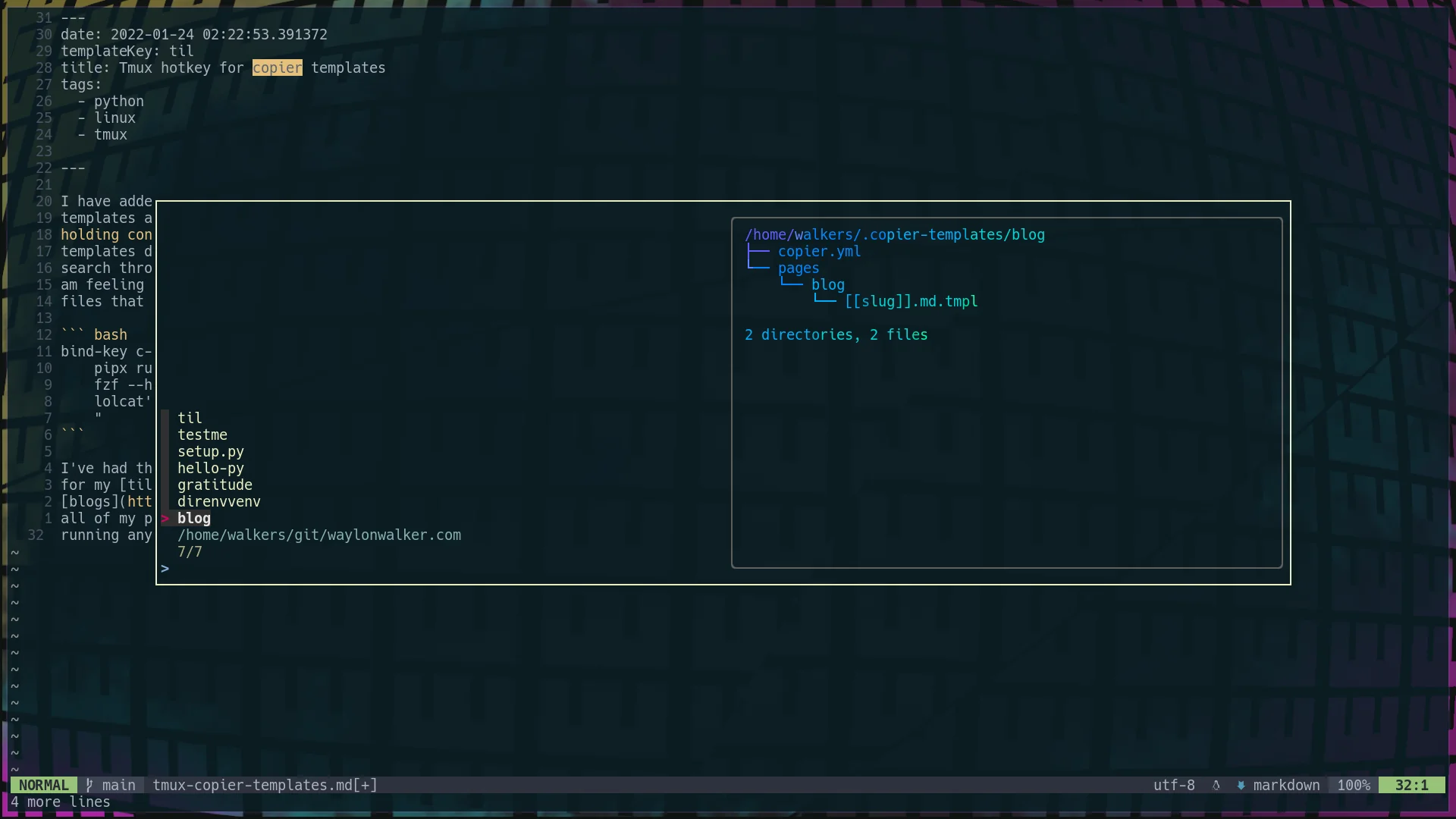
I have added a hotkey to my copier template setup to quickly access all my templates at any time from tmux. At any point I can hit <c-b><c-b>, thats holding control and hitting bb, and I will get a popup list of all of my templates directory names. Its an fzf list, which means that I can fuzzy search through it for the template I want, or arrow key to the one I want if I am feeling insane. I even setup it up so that the preview is a list of the files that come with the template in tree view.

bind-key c-b popup -E -w 80% -d '#{pane_current_path}' "\ pipx run copier copy ~/.copier-templates/`ls ~/.copier-templates |\ fzf --header $(pwd) --preview='tree ~/.copier-templates/{} |\ lolcat'` . \ "

I’ve had this on my systems for a few weeks now and I am constantly using it for my tils, blogs, and my .envrc file that goes into all of my projects to make sure that I have a

Copier allows you to run post render tasks, just like cookiecutter. These are defined as a list of tasks in your copier.yml. They are simply shell commands to run.

The example I have below runs an update-gratitude bash script after the copier template has been rendered.

# copier.yml num: 128 _answers_file: .gratitude-copier-answers.yml _tasks: - "update-gratitude"

I have put the script in ~/.local/bin so that I know it’s always on my $PATH. It will reach back into the copier.yml and update the default number.

The copier answers file is a key component to making your templates re-runnable. Let’s look at the example for my setup.py.

❯ tree ~/.copier-templates/setup.py /home/walkers/.copier-templates/setup.py ├── [[ _copier_conf.answers_file ]].tmpl ├── copier.yml ├── setup.cfg └── setup.py.tmpl 0 directories, 4 files

Inside of my [[ _copier_conf.answers_file ]].tmpl file is this, a message not to muck around with it, and the ansers in yaml form. The first line is just a helper for the blog post.

# ~/.copier-templates/setup.py/\[\[\ _copier_conf.answers_file\ \]\].tmpl # Changes here will be overwritten by Copier; NEVER EDIT MANUALLY [[_copier_answers|to_nice_yaml]]

Inside my copier.yml I have setup my _answers_file to point to a special file. This is because this is not a whole projet template, but one just for a single file.

# copier.yml # ... _answers_file: .setup-py-copier-answers.yml

Once I change the _answers_file I was incredibly stuck

...

I was completely stuck for awhile. copier was not replacing my template variables. I found out that adding all these _endops fixed it. Now It will support all of these types of variable wrappers

# copier.yml _templates_suffix: .jinja _envops: block_end_string: "%}" block_start_string: "{%" comment_end_string: "#}" comment_start_string: "{#" keep_trailing_newline: true variable_end_string: "}}" variable_start_string: "{{"

!RTFM: Later I read the docs and realized that copier defaults to using [[ and ]] for its templates unlike other tools like cookiecutter.

I’ve been looking for a templating tool for awhile that works well with single files. My go to templating tool cookiecutter does not work for single files, it needs to put files into a directory underneath of it.

By default copier uses double square brackets for its variables. variables in files, directory_names, or file_names will be substituted for their value once you render them.

# hello-py/hello.py.tmpl print('hello-[[name]]')

note! by default copier will not inject variables into your template-strings unless you use a .tmpl suffix.

Before running copier we need to tell copier what variables to ask for, we do this with a copier.yml file.

...