My next issue trying to run off of a separate domain was a cross site request
forgery error.
Since this is a valid domain that we are hosting the app from we need to tell
Django that this is safe. We can do this again in the settings.py, but this
time the variable we need is not there out of the box and we need to add it.
You might find these settings helpful as well if you are trying to run your
site on a remote host like aws, digital ocean, linode, or any sort of cloud
providor. I had it running in my home lab while I was out of the house and
ssh’d in over with a chromebook.
I am continuing my journey into django, but today I am not at my workstation. I
am ssh’d in remotely from a chromebook. I am fully outside of my network, so I
can’t access it by localhost, or it’s ip. I do have cloudflared tunnel
installed and dns setup to a localhost.waylonwalker.com.
I found this in settings.py and yolo, it worked first try. I am in from my
remote location, and even have auth taken care of thanks to cloudflare. I am
really hoping to learn how to setup my own auth with django as this is one of
the things that I could really use in my toolbelt.
ALLOWED_HOSTS=['localhost.waylonwalker.com']
I have no experience in django, and in my exploration to become a better python
developer I am dipping my toe into one of the most polished and widely used web
frameworks Django to so that I can better understand it and become a better
python developer.
If you found this at all helpful make sure you check out the django tutorial
The first thing I need to do is render out a template to start the project.
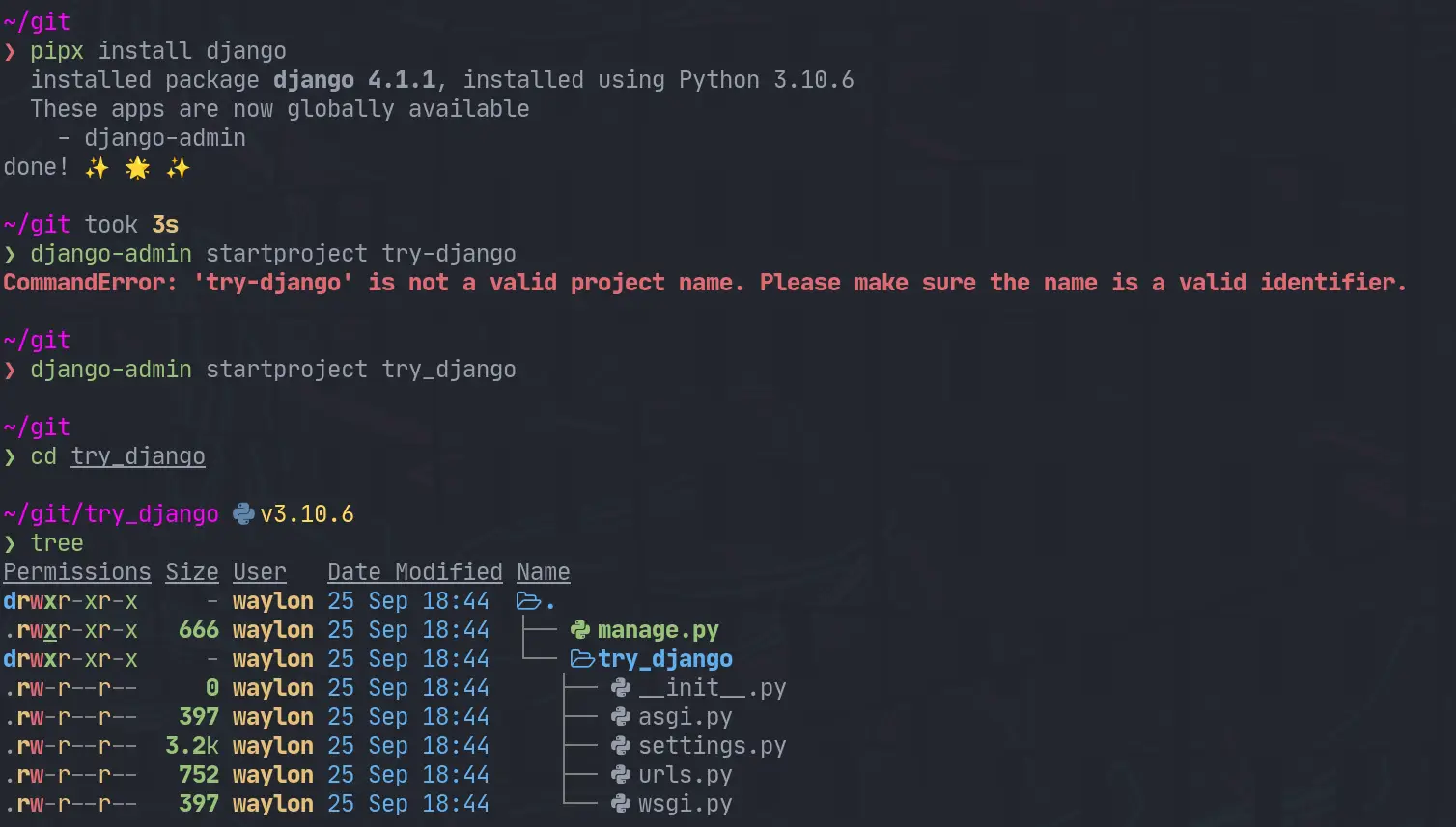
For this I need the django-admin cli. To get this I am going the route of
pipx it will be installed globally on my system in it’s own virtual
environment that I don’t have to manage. This will be useful only for using
startproject as far as I know.
pipx install django
django-admin startproject try_django
cd try_django
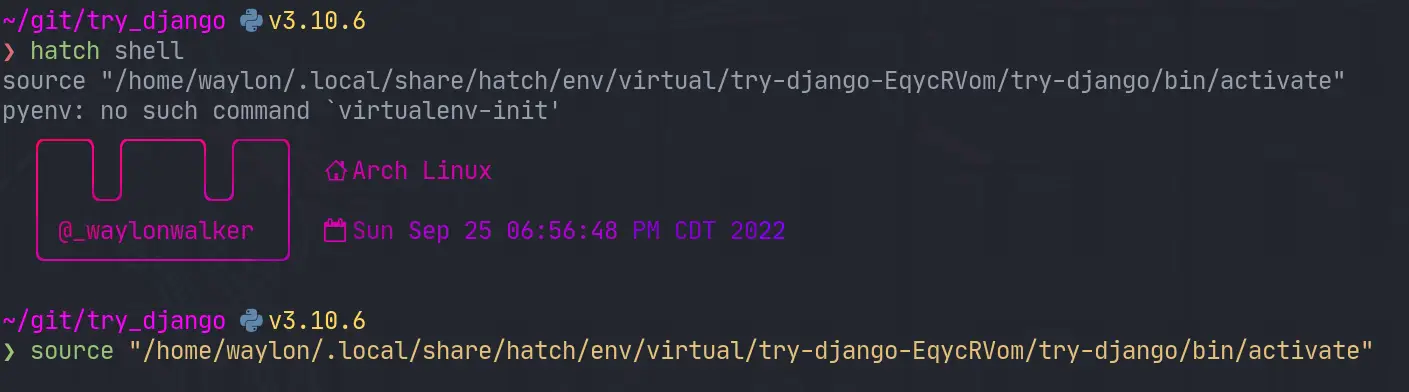
Once I have the project I need a venv for all of django and all of my
dependencies I might need for the project. I have really been diggin hatch
lately, and it has a one line “make a virtual environment and manage it for
me” command.
hatch shell
If hatch is a bit bleeding edge for you, or it has died out by the time you
read this. The ol trusty venv will likely stand the test of time, this is what
I would use for that.
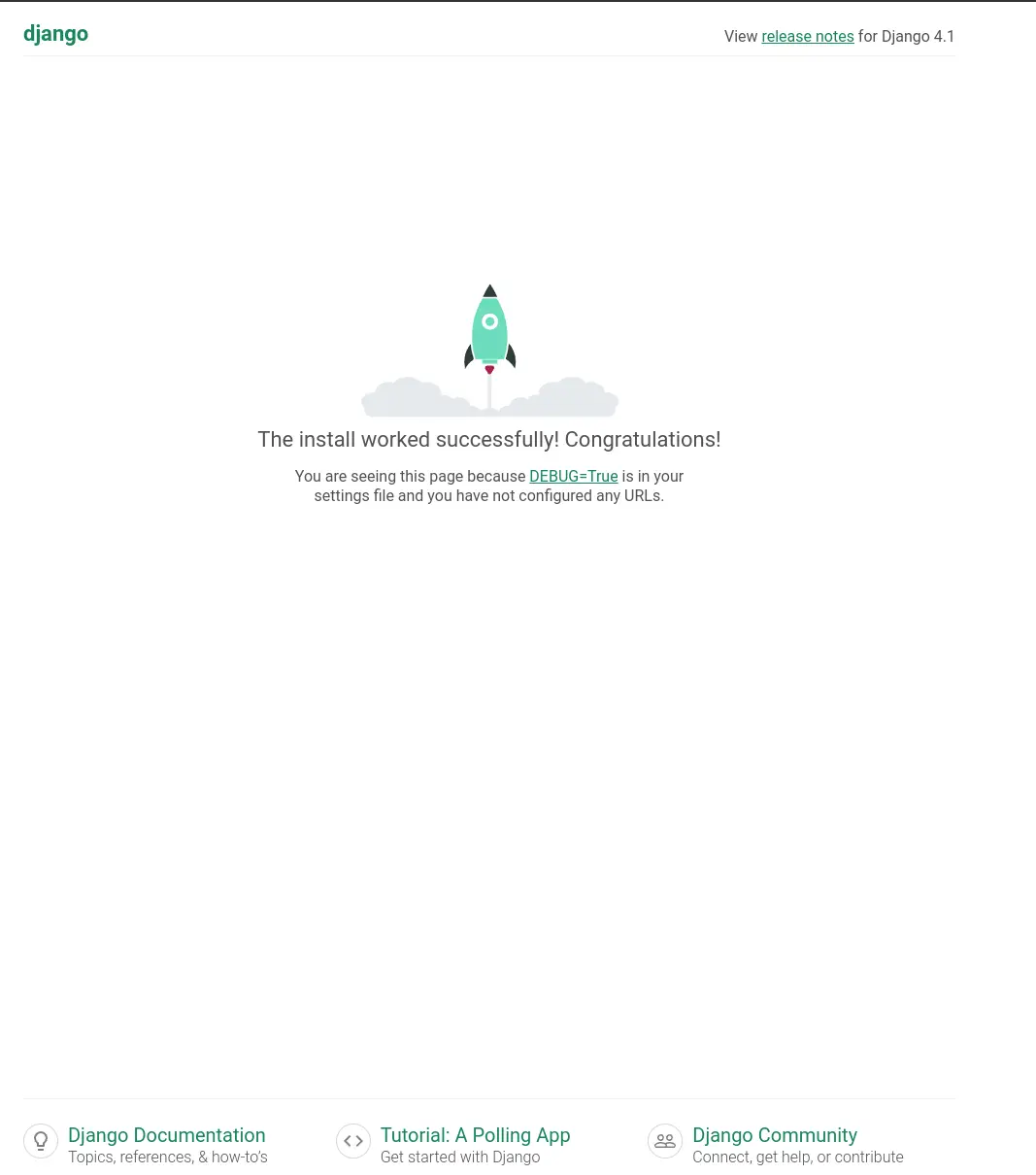
Next up we need to start the webserver to start seeing that development
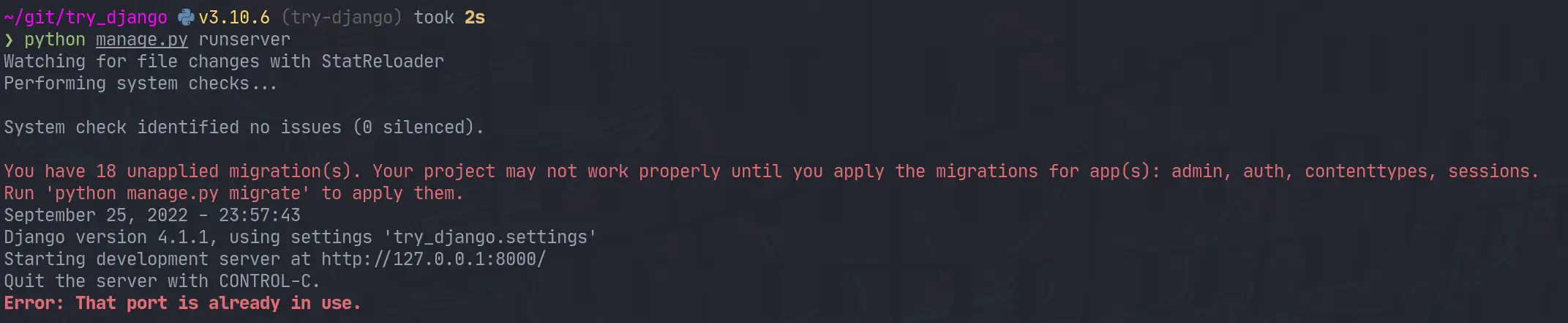
content. The first thing I did was run it as stated in the tutorial and find
it clashed with a currently running web server port.
python manage.py runserver
I jumped over to that tmux session, killed the process and I was up and running.
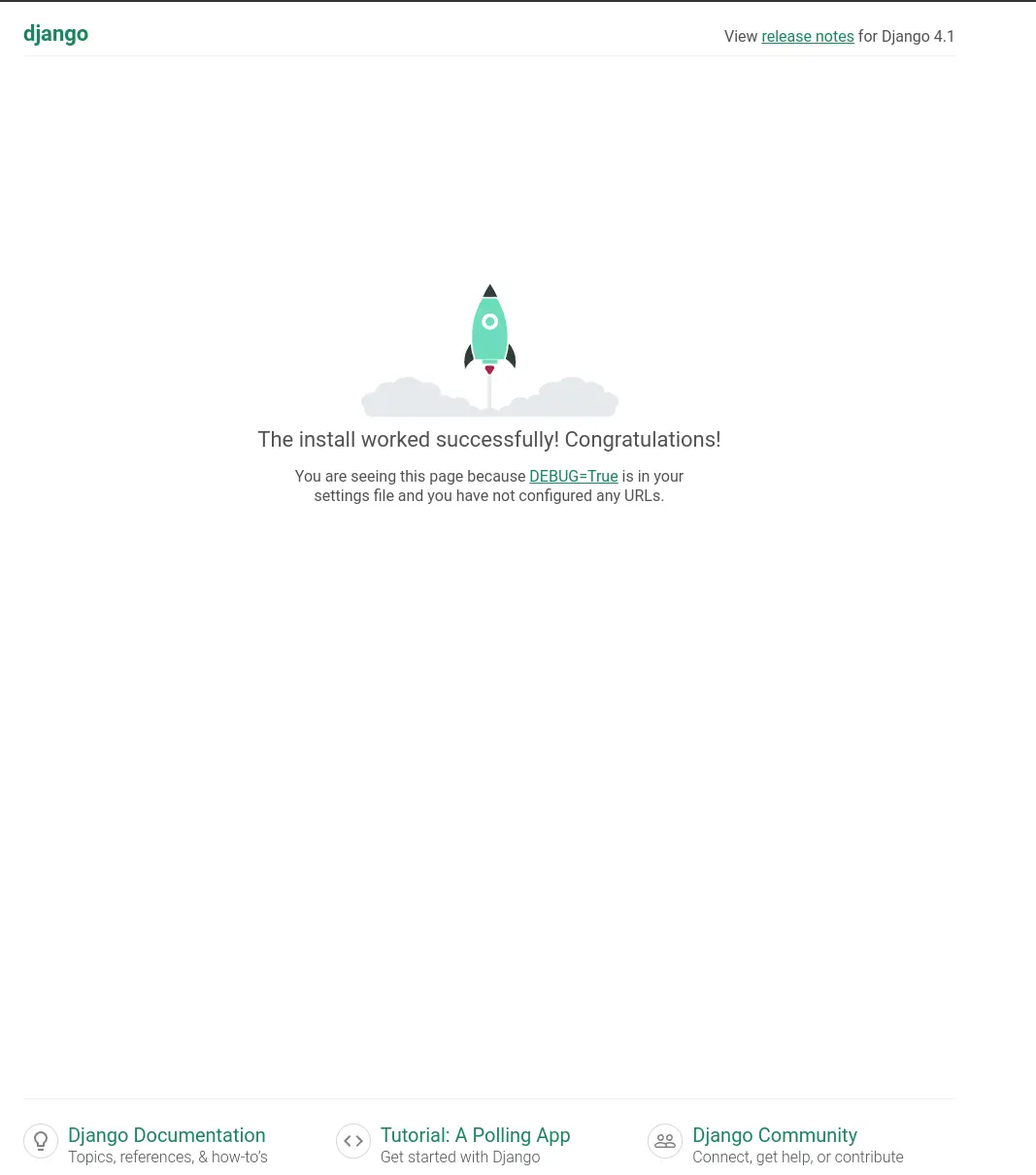
I opened up the urls.py to discover that the only configured url was at
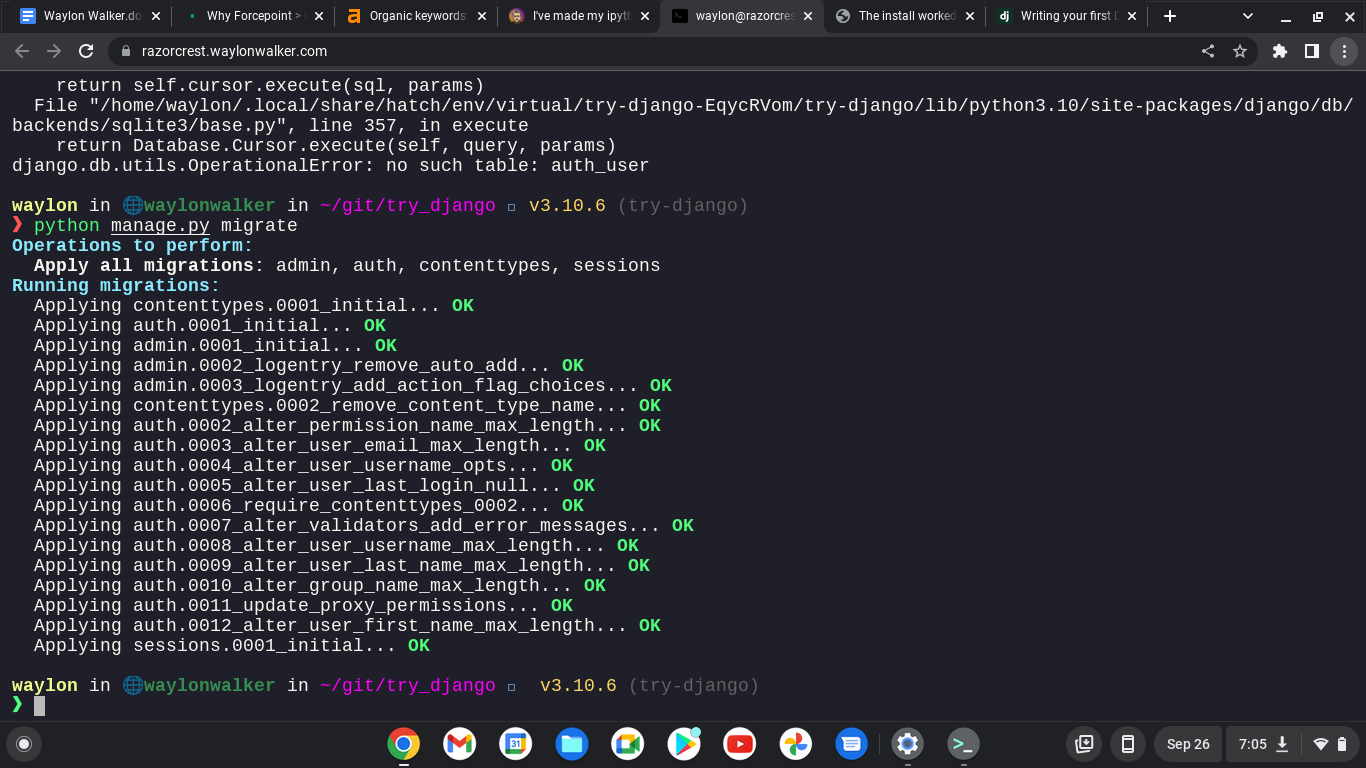
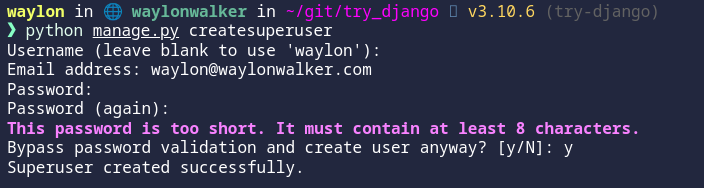
/admin. I tried to log in as admin, but was unable to as I have not yet
created a superuser. Next time I play with django that is what I will explore.
While updating my site to use Markata’s new configurable head I ran into some
escaping issues. Things like single quotes would cause jinja to fail as it was
closing quotes that it shouldnt have.
Jinja comes with a handy utility for escaping strings. I definitly tried to
over-complicate this before realizing. You can just pipe your variables into
e to escape them. This has worked pretty flawless at solving some jinja
issues for me.
The issue I ran into was when trying to setup meta tags with the new
configurable head, some of my titles have single quotes in them. This is what
I put in my markata.toml to create some meta tags.
[[markata.head.meta]]name="og:title"content="{{ title }}"
Using my article titles like this ended up causing this syntax error when not
escaped.
After making a complicated system of using html.escape I realized that jinja
included escaping out of the box so I updated my markata.toml to include the
escaping, and it all just worked!.
I like pypeaday’s [1] project stable-diffusion-pype-dev [2].
No description available.
References:
[1]: https://github.com/pypeaday
[2]: https://github.com/pypeaday/stable-diffusion-pype-dev
Check out gradio-app [1] and their project gradio [2].
Build and share delightful machine learning apps, all in Python. 🌟 Star to support our work!
References:
[1]: https://github.com/gradio-app
[2]: https://github.com/gradio-app/gradio
When I am developing python code I often have a repl open alongside of it
running snippets ofcode as I go. Ipython is my repl of choice, and I hace
tricked it out the best I can and I really like it. The problem I recently
discovered is that I have way overcomplicated it.
So in the past the way I have setup a few extensions for myself is to add
something like this to my ~/.ipython/profile_default/startup directory. It
sets up some things like rich highlighting or in this example automatic
imports. I even went as far as installing some of these in the case I didn’t have them installed.
I missed the fact that some of these tools like pyflyby and rich already
have an ipython extension maintained by the library that just works. It’s less
complicated and more robust to future changes in the library. If anything ever
changes with these I will not have to worry about which version is installed,
the extension will just take care of itself.
The issue that I found with this is that you can end up with a sea of errors
flooding your terminal. Personally I will know immediately if ipython is
working right or not and typically have scriped venv installs so I have
everything I need, so If I don’t have everything it’s probably for a reason and
I don’t need an error message lighting up.
My way around this was to test if the module was importable and if it had a
load_ipython_extension attribute before appending it as an extension.
defactivate_extension(extension):try:mod=importlib.import_module(extension)getattr(mod,"load_ipython_extension")c.InteractiveShellApp.extensions.append(extension)exceptModuleNotFoundError:"extension is not installed"exceptAttributeError:"extension does not have a 'load_ipython_extension' function"extensions=["rich","markata","pyflyby"]forextensioninextensions:activate_extension(extension)
Just starred stable-diffusion-webui [1] by AUTOMATIC1111 [2]. It’s an exciting project with a lot to offer.
Stable Diffusion web UI
References:
[1]: https://github.com/AUTOMATIC1111/stable-diffusion-webui
[2]: https://github.com/AUTOMATIC1111
kedro-plugins [1] by kedro-org [2] is a game-changer in its space. Excited to see how it evolves.
First-party plugins maintained by the Kedro team.
References:
[1]: https://github.com/kedro-org/kedro-plugins
[2]: https://github.com/kedro-org
If you’re into interesting projects, don’t miss out on knossos [1], created by modrinth [2].
[Archived] Former repo of the Modrinth frontend
References:
[1]: https://github.com/modrinth/knossos
[2]: https://github.com/modrinth
I like CaffeineMC’s [1] project sodium [2].
A Minecraft mod designed to improve frame rates and reduce micro-stutter
References:
[1]: https://github.com/CaffeineMC
[2]: https://github.com/CaffeineMC/sodium
Just starred markata-todoui [1] by WaylonWalker [2]. It’s an exciting project with a lot to offer.
A todo plugin for markata. It is a tui (text user interface) that runs in the terminal using textual. It gives me a trello-board feel from the terminal. I can create, update, delete, move, and fully manage my todo items from the terminal with it.
References:
[1]: https://github.com/WaylonWalker/markata-todoui
[2]: https://github.com/WaylonWalker
Check out giscus [1] and their project giscus [2].
A comment system powered by GitHub Discussions. :octocat: 💬 💎
References:
[1]: https://github.com/giscus
[2]: https://github.com/giscus/giscus
I recently discovered cmp-nvim-lsp-signature-help [1] by hrsh7th [2], and it’s truly impressive.
cmp-nvim-lsp-signature-help
References:
[1]: https://github.com/hrsh7th/cmp-nvim-lsp-signature-help
[2]: https://github.com/hrsh7th
A long needed feature of markata has been the ability to really configure out
templates with configuration rather. It’s been long that you needed that if
you really want to change the style, meta tags, or anything in the head you
needed to write a plugin or eject out of the template and use your own.
If this does not take you far enough yet, you can still eject out and use your
own template pretty easy. If you are going for a full custom site it’s likely
that this will be the workflow for awhile. Markata should only get better and
make this required less often as it matures.
I recently discovered stable-diffusion-videos [1] by nateraw [2], and it’s truly impressive.
Create 🔥 videos with Stable Diffusion by exploring the latent space and morphing between text prompts
References:
[1]: https://github.com/nateraw/stable-diffusion-videos
[2]: https://github.com/nateraw
gitleaks [1] by gitleaks [2] is a game-changer in its space. Excited to see how it evolves.
Find secrets with Gitleaks 🔑
References:
[1]: https://github.com/gitleaks/gitleaks
[2]: https://github.com/gitleaks
If you’re into interesting projects, don’t miss out on termcharts [1], created by Abdur-rahmaanJ [2].
Terminal charts
References:
[1]: https://github.com/Abdur-rahmaanJ/termcharts
[2]: https://github.com/Abdur-rahmaanJ
Looking for inspiration? markata-slides [1] by WaylonWalker [2].
A slides plugin for markata that allows you to create presentations in markdown from the comfort of your favorite editor. Each new h2 tag (## in markdown) becomes a new slide. This plugin leverages the built-in feeds plugin for navigation, and adds in some hotkeys (j/k) to go the the previous and next slides.
References:
[1]: https://github.com/WaylonWalker/markata-slides
[2]: https://github.com/WaylonWalker
I’m really excited about small-group-notes [1], an amazing project by pypeaday [2]. It’s worth exploring!
Landing zone for small group notes - plan is to make this a nicer website for all things small group related
References:
[1]: https://github.com/pypeaday/small-group-notes
[2]: https://github.com/pypeaday