Drafts

Draft and unpublished posts

0 posts

Links

- twitter [1] - twitch [2] - github [3] - dev.to [4] - LinkedIn [5] - YouTube [6] References: [1]: https://twitter.com/_WaylonWalker [2]: https://twitch.com/WaylonWalker [3]: https://github.com/WaylonWalker [4]: https://dev.to/waylonwalker [5]: https://www.linkedin.com/in/waylonwalker/ [6]: https://www.youtube.com/waylonwalker
1 min read
Sometimes you get a PR on a project, but cannot review it without wrecking your current working setup. This might be because it needs to be compiled, or a new set of requirements. Git [1] worktrees is a great way to chekout the remote branch in a completely separate directory to avoid changing any files in your current project. # pattern # git worktree add -b <branch-name> <PATH> <remote>/<branch-name> git worktree add -b fix-aws-service-cnsn /tmp/project origin/fix-aws-service-cnsn This will create a new directory /tmp/project that you can review the branch fix-aws-service-cnsn from the remote origin. If you have setup different remotes locally you can check for the name of it with git remote -v References: [1]: /glossary/git/
git
GitPython is a python api for your git [1] repos, it can be quite handy when you need to work with git from python. Use Case # [2] I recently made myself a handy tool for making screenshots in python and it need to do a git commit and push from within the script. For this I reached for GitPython. How I Quickly Capture Screenshots directly into My Blog [3] Installation # [4] GitPython is a python library hosted on pypi that we will want to install into our virtual environments using pip. pip install GitPython Create a Repo Object # [5] Import Repo from the git library and create an instance of the Repo object by giving it a path to the directory containing your .git directory. from git import Repo repo = Repo('~/git/waylonwalker.com/') Two interfaces # [6] from the docs It provides abstractions of git objects for easy access of repository data, and additionally allows you to access the git repository more directly using either a pure python implementation, or the faster, but more resource intensive git command implementation. I only needed to use the more intensive but familar to me git command implementation to get me project off the ground. There is a good tutorial [...
Python, click install Edit the System Environment Variables Environment Variables button Add the following path to your users Path Variable C:\Program Files (x86)\Common Files\Oracle\Java\javapath;C:\WINDOWS\system32;C:\WINDOWS;C:\WINDOWS\System32\Wbem;C:\WINDOWS\System32\WindowsPowerShell\v1.0\;C:\WINDOWS\System32\OpenSSH\;C:\Program Files (x86)\NVIDIA Corporation\PhysX\Common;C:\Program Files\NVIDIA Corporation\NVIDIA NvDLISR;C:\Program Files\dotnet\;C:\Users\quadm\AppData\Local\Packages\PythonSoftwareFoundation.Python.3.10_qbz5n2kfra8p0\LocalCache\local-packages\Python310\Scripts;
Sometimes you just want python to do something else when you hit an exception, maybe that’s fire a text, slack message, email, or system notification like I wanted. I am working on a quick and dirty python script designed to take screenshots and land them on my website in a single hotkey. With it being designed to run with a hotkey, if it were to error I would not see it. I could have gone down a logging route, but honestly this is meant to be quick, dirty, and work on my system for me. I just want to get it in my system notification. sys.excepthook # [1] Python exposes sys.excepthook for just this case. Here is what I ended up doing to fire a system notification as well as printing the message. Yaya a log would be mroe appropriate, but this is designed to just get done quick and do the job I want it to do. def notify_exception(type, value, tb): traceback_details = "\n".join(traceback.extract_tb(tb).format()) msg = f"caller: {' '.join(sys.argv)}\n{type}: {value}\n{traceback_details}" print(msg) Popen( f'notify-send "screenshot.py hit an exception" "{msg}" -a screenshot.py', shell=True, ) sys.excepthook = notify_exception 0 / 0 References: [1]: #sysexcepthook
I recently was unable to boot into my home Linux Desktop, it got stuck at diskcheck fsck. I found that I was able to get in to a tty through a hotkey. https://twitter.com/_WaylonWalker/status/1512281106120384519 What’s a TTY? # [1] There’s probably more to it, but to me its a full screen terminal with zero gui, not even your gui fonts. It does log into your default shell so if you have a comfy command line setup it will be here for you even though it looks much different without fonts and full colorspace. Normal setup # [2] Normally you have 6 TTY’s running, the first is dedicated to your desktop manager, which is your login screen it might be something like gdm or lightdm. - ctrl+alt+F1: login screen - ctrl+alt+F2: Desktop - ctrl+alt+F3: TTY 3 - ctrl+alt+F4: TTY 4 - ctrl+alt+F5: TTY 5 - ctrl+alt+F6: TTY 6 In my case the desktop manager neverstarted, so ctrl+alt+F1 brought me into a tty. What happened?? # [3] Well after getting back in and having some time to reflect, I think my Desktop manager was installed or just broken, possibly during a update I ran a few days prior. I tried a bunch of things like switching to lightdm, and manually running startx. Getting ba...
pygame events are stored in a queue, by default the most suggested way shown in all tutorials “pumps” the queue, which removes all the messages. start up pygame # [1] You don’t necessarily need a full boilerplate [2] to start looking at events, you just just need to pygame.init() and to capture any keystrokes you need a window to capture them on, so you will need a display running. import pygame pygame.init() pygame.display.set_mode((854, 480)) get some events # [3] Let’s use pygames normal event.get method to get events. events = pygame.event.get() printing the events reveal this [ <Event(1541-JoyDeviceAdded {'device_index': 0, 'guid': '030000005e0400008e02000010010000'})>, <Event(4352-AudioDeviceAdded {'which': 0, 'iscapture': 0})>, <Event(4352-AudioDeviceAdded {'which': 1, 'iscapture': 0})>, <Event(4352-AudioDeviceAdded {'which': 2, 'iscapture': 0})>, <Event(4352-AudioDeviceAdded {'which': 0, 'iscapture': 1})>, <Event(4352-AudioDeviceAdded {'which': 1, 'iscapture': 1})>, <Event(32774-WindowShown {'window': None})>, <Event(32777-WindowMoved {'x': 535, 'y': 302, 'window': None})>, <Event(32770-VideoExpose {})>, <Event(32776-WindowExposed {'window': None})>, <Ev...
One of the most essential concepts of pygame to start making a game you will need to understand is loading images and blitting them to the screen. blit stands for block image transfer, to me it feels a lot like layering up layers/images in photoshop or Gimp. Loading an image # [1] I started by making a spotlight in Gimp, by opening a 64x64 pixel image and painting the center with a very soft brush. [2] This is what it looks like Now we can load this into pygame. import pygame img = pygame.image.load("assets/spotlight.png") Converting to the pygame colorspace # [3] To make pygame a bit more efficient we can convert the image to pygames colorspace once when we load it rather than every time we blit it onto another surface. import pygame # convert full opaque images img = pygame.image.load("assets/spotlight.png").convert() # convert pngs with transparancy img = pygame.image.load("assets/spotlight.png").convert_alpha() blitting # [4] To display the image onto the screen we need to use the blit method which needs at least two arguments, something to blit and a position to blit it at. screen = pygame.display.set_mode(self.screen_size) screen.blit( img, (0, 0),) note blit...
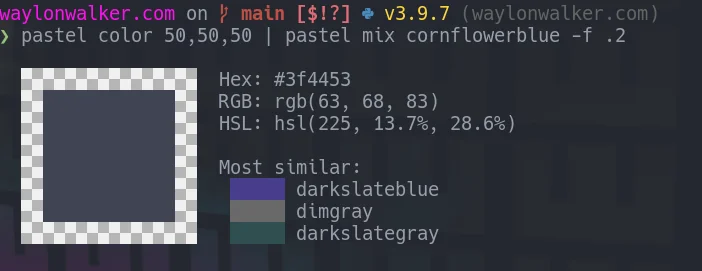
From the same Author that brought us command line essentials like fd and bat written in rust comes pastel [1] an incredible command-line tool to generate, analyze, convert and manipulate colors. Install # [2] You can install from one of the releases [3], follow the instructions [4] for your system from the repo. I chose to go the nix route. I have enjoyed the simplicity of the nix package manager being cross platform and have very up to date packages in it. nix-env --install pastel Mixing colors # [5] Something I often do to blend colors together is add a little alpha to something over top of a background. I can simulate this by mixing colors. pastel color cornflowerblue | pastel mix goldenrod -f .1 Here is one from the docs that show how you can generate a color palette from random colors, mix in some red, lighten and format all in one pipe. pastel random | pastel mix red | pastel lighten 0.2 | pastel format hex color picker # [6] I am on Ubuntu 20.10 as I write this and it works flawlessly. When I call the command, a color picker gui pops up along with an rgb panel. I can pick from the panel or from anywhere on my screen. pastel color-picker Sorry, your browser doesn...
cli
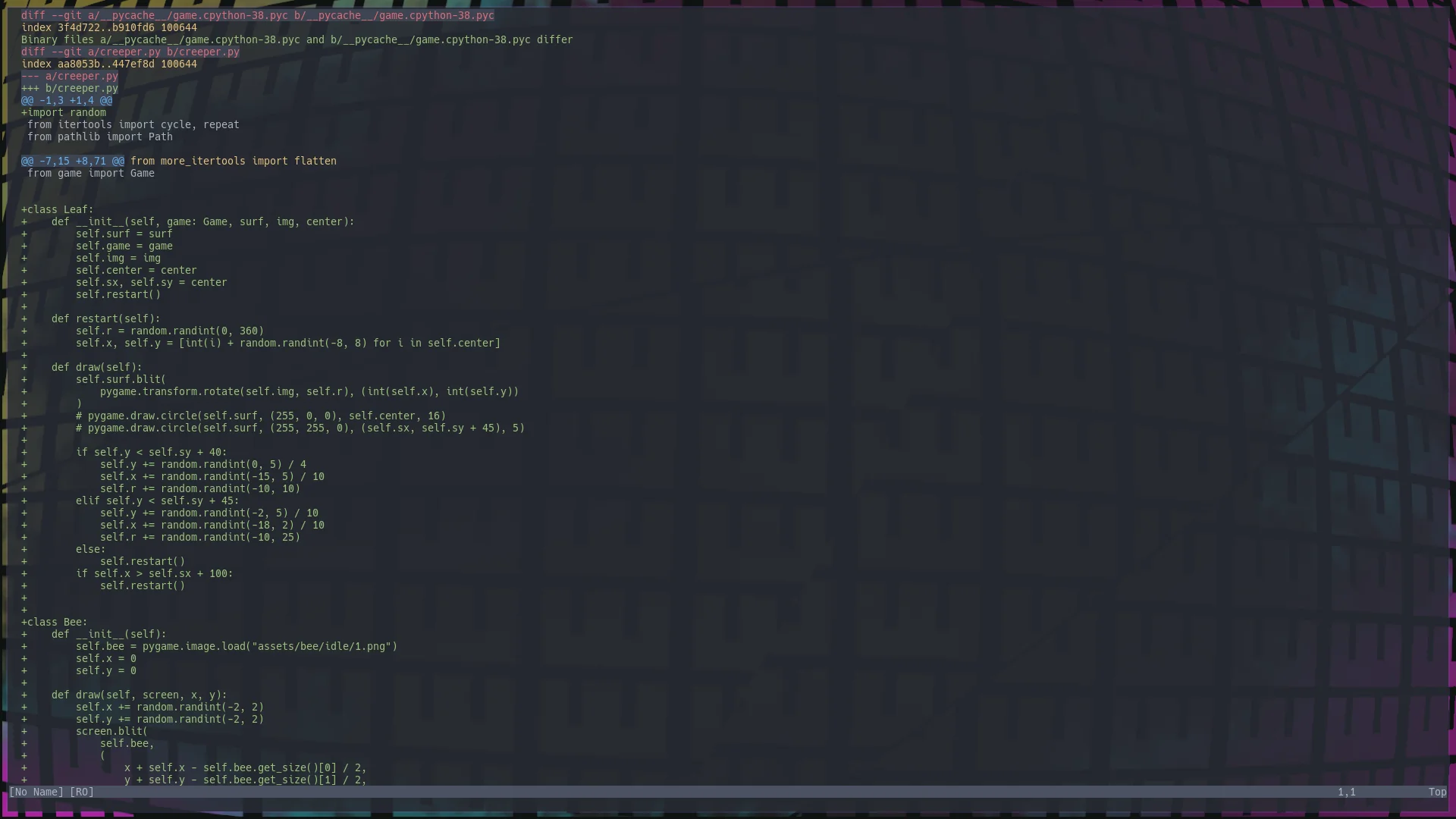
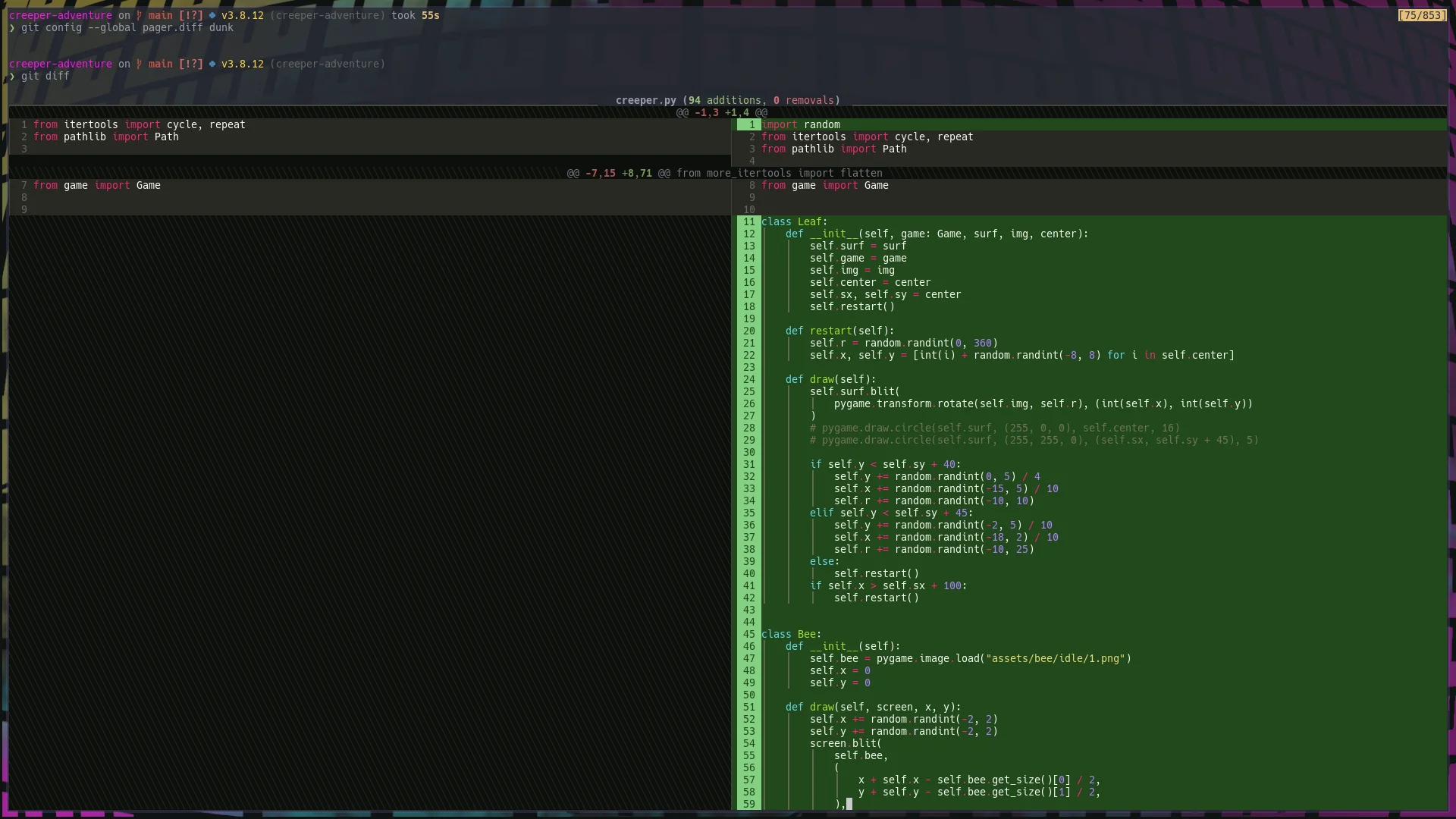
Dunk [1] is a beautiful git [2] diff tool built on top of rich [3]. Browsing through twitter the other day I discovered it through this tweet by _darrenburns [4]. https://twitter.com/_darrenburns/status/1510350016623394817 Dunk is beta # [5] Before I dive in deep, I do want to mention that Dunk is super new and beta at this point. I am making it my default pager, because I know what I am doing and can quickly shift back if I need to, no sweat. If you are a little less comfortable with the command line, terminal, or reading any issues that might come up, it might be best if you just pipe into Dunk when you want to use it. The author really cautions the use of it as your default pager this early, I’m just showing that it’s possible, and I’m trying it. He notes that it might have some issues especially with partially staged files. try it # [6] You can try it with pipx. git diff | pipx run dunk install it # [7] If you like it, you can install it with pip or pipx, I prefer pipx for cli applications like this. pipx install dunk set it as your default pager # [8] You can configure dunk as your default pager with the command line, or by editing your .gitconfig file. git con...
I’m poking a bit into gamedev. Partly to better understand, partly because it’s stretching different parts of my brain/skillset than writing data pipelines does, but mostly for the experience of designing them with my 9yo Wyatt. pygame boilerplates # [1] I’ve seen several pygame boilerplate templates, but they all seem to rely heavily on globl variables. That’s just not how I generally develop anything. I want a package that I can pip install, run, import, test, all the good stuff. My current starter # [2] What currently have is a single module starter package that is on github so that I can install it and start building games with very little code. Installation # [3] Since it’s a package on GitHub you can install it with the git [4]+ prefix. pip install git+https://github.com/WaylonWalker/pygame-starter Example Game # [5] You can make a quick game by inheriting from Game, and calling .run(). This example just fills the screen with an aqua color, but you can put all of your game logic in the game method. from pygame_starer import Game class MyGame(Game): def game(self): self.screen.fill((128, 255, 255)) if __name__ == "__main__": game = MyGame() game.run() The st...
This morning I was trying to install a modpack on my minecraft server after getting a zip file, and its quite painful when I unzip everything in the current directory rather than the directory it belongs in. I had the files on a Windows Machine # [1] So I’ve been struggling to get mods installed on linux lately and the easiest way to download the entire pack rather than each mod one by one seems to be to use the overwolf application on windows. Once I have the modpack I can start myself a small mod-server by zipping it, putting it in a mod-server directory and running a python http.server python -m http.server Downoading on the server # [2] Then I go back to my server and download the modpack with wget. wget 10.0.0.171:8000/One%2BBlock%2BServer%2BPack-1.4.zip Unzip to the minecraft-data directory # [3] Now I can unzip my mods into the minecraft-data directory. unzip One+Block+Server+Pack-1.4.zip -d minecraft-data Running the server with docker # [4] I run the minecraft server with docker, which is setup to mount the minecraft-data directory. Running a Minecraft Server in Docker [5] A bit more on that in the other post, but when I download the whole modpack like this I ...
My personal Site build went down last week, and I was unable to publish a new article. This is the process I went through to get it back up and running quickly. Is it a fluke? # [1] Classic IT fix, rerun it and see if you get the same error. Everyone is busy and when you have your build go down you are probably busy doing something else. My first step is often to simply click rerun right from GitHub actions. Sometimes this will fix it, and sometimes it doesn’t. It’s an easy fix to run in the meantime you are not focused on fixing it. Is GitHub having issues? # [2] Also worth a check to see if GitHub is having a hiccup or not. This error felt pretty obviously not GitHub’s fault, but it’s a good one to check when you run into a weird unexplainable error. Check github status [3] for any downtime issues with actions. Build Down # [4] Alright down to the error message I got. The error is pretty obvious that somewhere I am trying to import a non-existing module from click. Run markata build --no-pretty Traceback (most recent call last): File "/opt/hostedtoolcache/Python/3.8.12/x64/bin/markata", line 33, in <module> sys.exit(load_entry_point('markata==0.1.0', 'console_scripts...
I ran into a PR this week where the author was inheriting what BaseException rather than exception. I made this example to illustrate the unintended side effects that it can have. Try running these examples in a .py file for yourself and try to kill them with control-c. You cannot Keybard interrupt # [1] Since things such as KeyboardInterrupt are created as an exception that inherits from BaseException, if you except BaseException you can no longer KeyboardInterrupt. from time import sleep while True: try: sleep(30) except BaseException: # ❌ pass except from Exception or higher # [2] If you except from exception or something than inherits from it you will be better off, and avoid unintended side effects. from time import sleep while True: try: sleep(30) except Exception: # ✅ pass This goes with Custom Exceptions as well # [3] When you make custom exceptions expect that users, or your team members will want to catch them and try to handle them if they can. If you inherit from BaseException you will put them in a similar situation when they use your custom Exception. class MyFancyException(BaseException): # ❌ ... class MyFancyException(Exception): # ✅ ... Ref...
When I need a consistent key for a pythohn object I often reach for hashlib.md5 It works for me and the use cases I have. diskcache # [1] Yesterday we talked about setting up a persistant cache with python diskcache. In order to make this really work we need a good way to make consistent cache keys from some sort of python object. How I setup a sqlite cache in python [2] hash # [3] does not work My first thought was to just hash the files, this will give me a unique key for each. This will work, and give you a consistant key for one and only one given python process. If you start a new interpreter you will get different keys. waylonwalker.com on  main [$✘!?] via  v5.1.5  v3.8.0 (waylonwalker.com) ❯ ipython waylonwalker ↪main v3.8.0 ipython ❯ hash("waylonwalker") -3862245013515310359 waylonwalker ↪main v3.8.0 ipython ❯ hash("waylonwalker") -3862245013515310359 waylonwalker ↪main v3.8.0 ipython ❯ exit waylonwalker.com on  main [$✘!?] via  v5.1.5  v3.8.0 (waylonwalker.com) ❯ ipython waylonwalker ↪main v3.8.0 ipython ❯ hash("waylonwalker") -83673051278873734 here is a snapshot of my terminal proving that you can get the same hash in one session, but it changes whe...
When I need to cache some data between runs or share a cache accross multiple processes my go to library in python is diskcache. It’s built on sqlite with just enough cacheing niceties that make it very worth it. install diskcache # [1] Install diskcache into your virtual environement of choice using pip from your command line. python -m pip install diskcache setup the cache # [2] There are a couple of different types of cache, Cache, FanoutCache, and DjangoCache, you can read more about those in the docs [3] from diskcache import Cache cache = FanoutCache('.mycache', statistics=True) Adding to the cache # [4] Adding to the cache only needs a key and value. cache.add('me', 'waylonwalker' ) Set the expire time # [5] Optionally you can set the seconds before it expires. The cache invalidation tools like this is what really makes diskcache shine over using raw sqlite or any sort of static file. cache.add('me', 'waylonwalker', expire=60) tagging # [6] Diskcache supports tagging entries added to the cache. # add an item to the cache with a tag cache.add('me', 'waylonwalker', expire=60, tag='people') This seems to let you do a few new things like getting items from the cach...
The easiest way to speed up any code is to run less code. A common technique to reduce the amount of repative work is to implement a cache such that the next time you need the same work done, you don’t need to recompute anything you can simply retrieve it from a cache. lru_cache # [1] The easiest and most common to setup in python is a builtin functools.lru_cache. from functools import lru_cache @lru_cache def get_cars(): print('pulling cars data') return pd.read_csv("https://waylonwalker.com/cars.csv", storage_options = {'User-Agent': 'Mozilla/5.0'}) when to use lru_cache # [2] Any time you have a function where you expect the same results each time a function is called with the same inputs, you can use lru_cache. when same *args, **kwargs always return the same value lru_cache only works for one python process. If you are running multiple subprocesses, or running the same script over and over, lru_cache will not work. lru_cache only caches in a single python process max_size # [3] lru_cache can take an optional parameter maxsize to set the size of your cache. By default its set to 128, if you want to store more or less items in your cache you can adjust this value....
I keep a small cars.csv [1] on my website for quickly trying out different pandas operations. It’s very handy to keep around to help what a method you are unfamiliar with does, or give a teammate an example they can replicate. Hosts switched # [2] I recently switched hosting from netlify over to cloudflare. Well cloudflare does some work to block certain requests that it does not think is a real user. One of these checks is to ensure there is a real user agent on the request. Not my go to dataset 😭 # [3] This breaks my go to example dataset. pd.read_csv("https://waylonwalker.com/cars.csv") # HTTPError: HTTP Error 403: Forbidden But requests works??? # [4] What’s weird is, requests still works just fine! Not sure why using urllib the way pandas does breaks the request, but it does. requests.get("https://waylonwalker.com/cars.csv") <Response [200]> Setting the User Agent in pandas.read_csv # [5] this fixed the issue for me! After a bit of googling I realize that this is a common thing, and that setting the user-agent fixes it. This is the point I remember seeing in the cloudflare dashbard that they protect against a lot of different attacks, aparantly it treats pd.read_...
Python’s requests library is one of the gold standard apis, designed by Kenneth Reitz. It was designed with the user perspective in mind first and implementation second. I have heard this called readme driven development, where the interface the user will use is laid out first, then implemented. This makes the library much mor intuitive than if it were designed around how it was easiest to implement. Install Requests # [1] Requests is on pypi and can be installed into your virtual environtment with pip. python -m pip install requests Getting the content of a request # [2] Requests makes getting content from a web url as easy as possible. import requests r = requests.get('https://waylonwalker.com/til/htmx-get/') article = r.content requests is not limited to html # [4] Requests can handle any web request and is not limited to only html. Here are some examples to get a markdown file, a csv, and a png image. htmx_get_md = requests.get('https://waylonwalker.com/til/htmx-get.md').content cars = requests.get('https://waylonwalker.com/cars.csv').content profile = requests.get('https://images.waylonwalker.com/8bitc.png').content RTFM # [5] There is way more to requests, this ju...
I recently attended python web conf 2022 [1] and after seeing some incredible presentations on it I am excited to give htmx [2] a try. The base page # [3] Start with some html [4] boilerplate, pop in a script tag to add the htmx [5].org script, and a button that says click me. I added just a tish of style so that it does not sear your delicate developer your eyes. <!DOCTYPE html> <html lang="en"> <head> <title></title> <meta charset="UTF-8"> <meta name="viewport" content="width=device-width, initial-scale=1"> <style> html { background: #1f2022; color: #eefbfe; font-size: 64px; } button {font-size: 64px;} body { height: 100vh; width: 100vw; display: flex; justify-content: center; align-items:center; } </style> <!-- Load from unpkg --> <script src="https://unpkg.com/[email protected]"></script> </head> <body> <!-- have a button POST a click via AJAX --> <button hx-get="/partial" hx-swap="outerHTML"> Click Me </button> </body> </html> Save this as index.html and fire up a webserver and you will be presented with this big beefcake of a button. [6] If you don’t have a development server preference I reccomend opening the terminal and running python -m http.serve...