Drafts

Draft and unpublished posts

0 posts

Many tools such as ripgrep respect the .gitignore file in the directory it’s searching in. This helps make it incredibly faster and generally more intuitive for the user as it just searches files that are part of thier project and not things like their virtual environments, node modules, or compiled builds.

Editors like vscode often do not include files that are .gitignored in their search either.

pathspec is a pattern matching library that implements git’s wildmatch pattern so that you can ignore files included in your .gitignore patterns. You might want this to help make your libraries more performant, or more intuitive for you users.

import pathspec from pathlib import Path markdown_files = Path().glob('**/*.md') if (Path(".gitignore").exists(): lines = Path(".gitignore").read_text().splitlines() spec = pathspec.PathSpec.from_lines("gitwildmatch", lines) markdown_files = [ file for file in...

I don’t use refactoring tools as much as I probably should. mostly because I work with small functions with unique names, but I recently had a case where a variable name m was everywhere and I wanted it named better. This was not possible with find and replace, because there were other m’s in this region.

I first tried the nvim lsp rename, and it failed, Then I pip installed rope, a refactoring tool for python, and it just worked!

pip install rope

Once you have rope installed you can call rename on the variable.

When running a python process that requires a port it’s handy if there is an option for it to just run on the next avaialble port. To do this we can use the socket module to determine if the port is in use or not before starting our process.

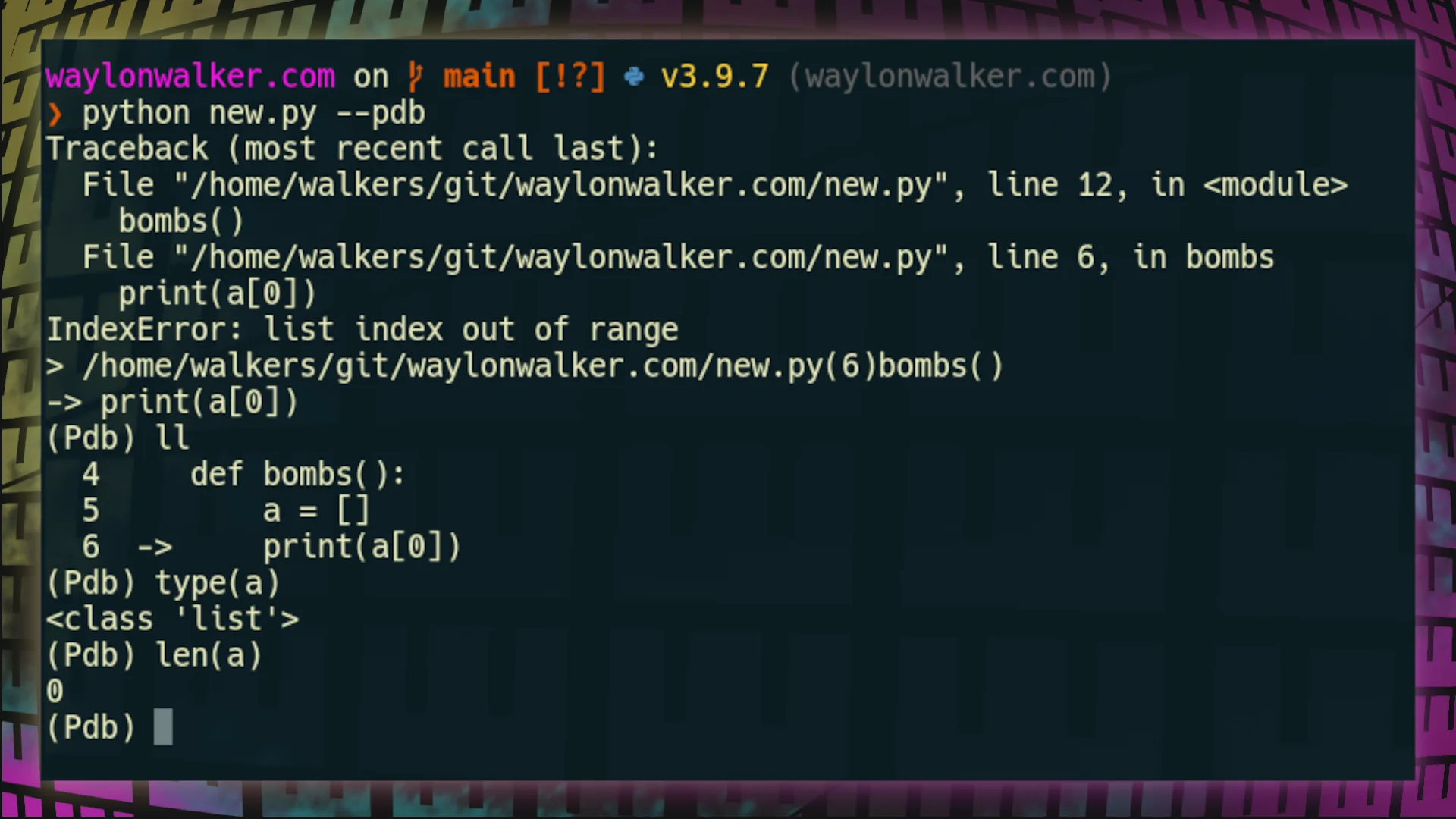
Adding a --pdb flag to your applications can make them much easier for those using it to debug your application, especially if your applicatoin is a cli application where the user has much fewer options to start this for themselves. To add a pdb flag --pdb to your applications you will need to wrap your function call in a try/except, and start a post_mortem debugger. I give credit to this stack overflow post for helping me figure this out.

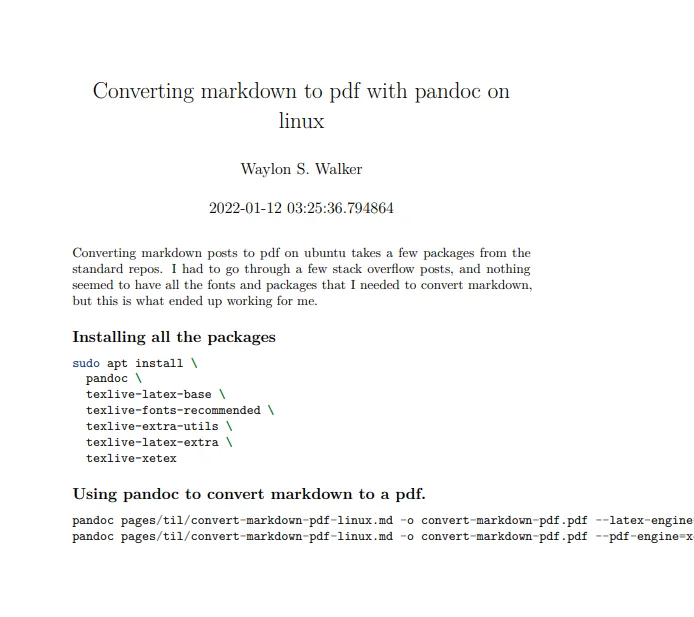
Converting markdown posts to pdf on ubuntu takes a few packages from the standard repos. I had to go through a few stack overflow posts, and nothing seemed to have all the fonts and packages that I needed to convert markdown, but this is what ended up working for me.

sudo apt install \ pandoc \ texlive-latex-base \ texlive-fonts-recommended \ texlive-extra-utils \ texlive-latex-extra \ texlive-xetex

Using pandoc to convert markdown to a pdf #

# older versions of pandoc, I needed this one on ubuntu 18.04 pandoc pages/til/convert-markdown-pdf-linux.md -o convert-markdown-pdf.pdf --latex-engine=xelatex # newer versions of pandoc, I needed this one on ubuntu 21.04 pandoc pages/til/convert-markdown-pdf-linux.md -o convert-markdown-pdf.pdf --pdf-engine=xelatex 
results of converting...</p></div>
  </div>

  <footer class=

Python comes with an enum module for creating enums. You can make your own enum by inheriting importing and inheriting from Enum.

from enum import Enum class LifeCycle(Enum): configure = 1 glob = 2 pre_render = 3 render = 4 post_render = 5 save = 6

auto incrementing #

Enum values can be auto incremented by importing auto, and calling auto() as their value.

from enum import Enum, auto class LifeCycle(Enum): configure = auto() glob = auto() pre_render = auto() render = auto() post_render = auto() save = auto()

using the enum #

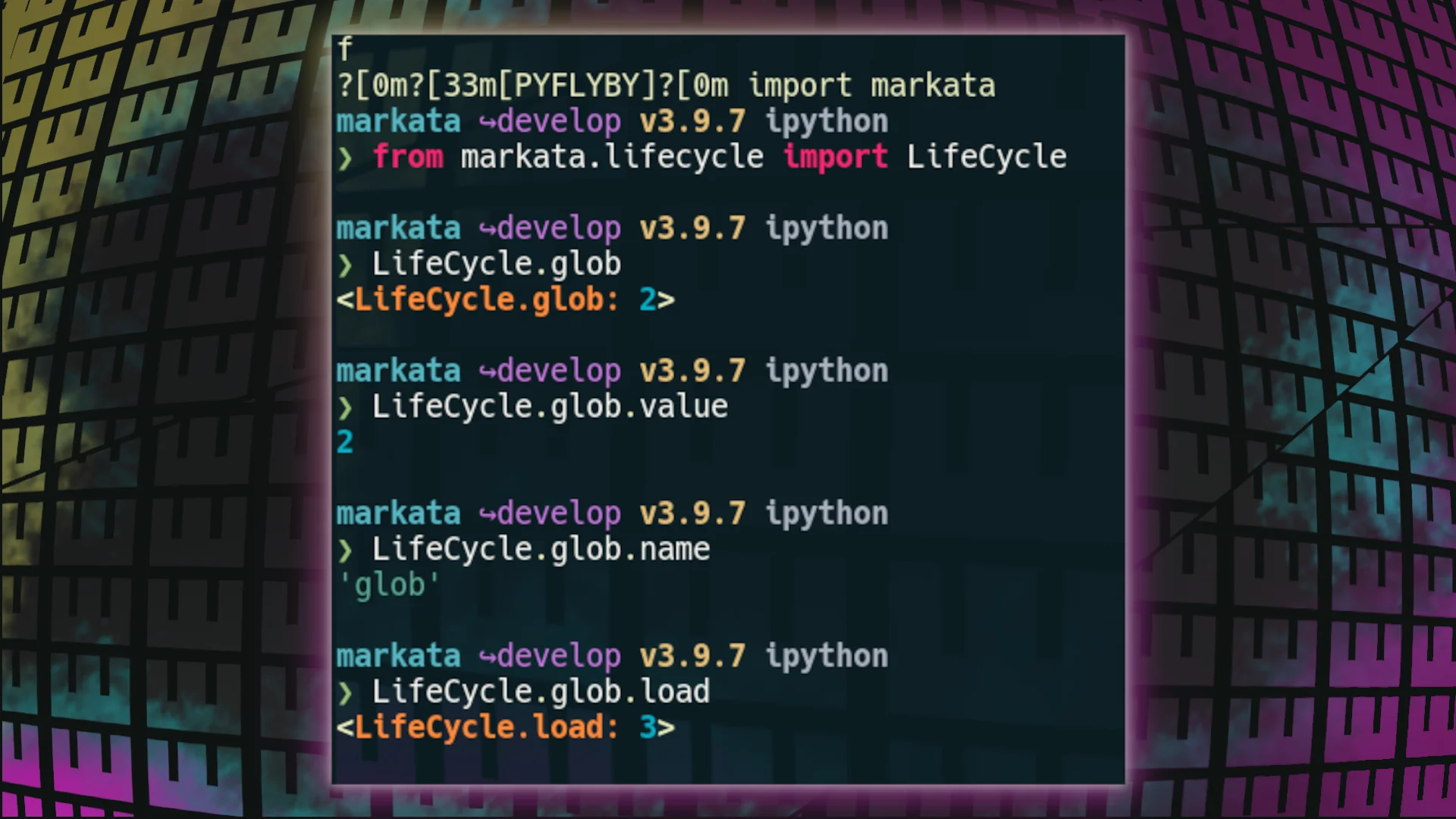
Enum’s are accessed directy under the class itself, and have primarily two methods underneath each thing you make, .name and .value.

I recently paired up with another dev running windows with Ubuntu running in wsl, and we had a bit of a stuggle to get our project off the ground because they were missing com system dependencies to get going.

Open up a terminal and get your required system dependencies using the apt package manager and the standard ubuntu repos.

sudo apt update sudo apt upgrade sudo apt install \ python3-dev \ python3-pip \ python3-venv \ python3-virtualenv pip install pipx

Using an Ansible-Playbook #

I like running things like this through an ansible-playbook as it give me some extra control and repeatability next time I have a new machine to setup.

- hosts: localhost gather_facts: true become: true become_user: "{{ lookup('env', 'USER') }}" pre_tasks: - name: update repositories apt: update_cache=yes become_user: root changed_when: False vars: user: "{{ ansible_user_id }}" tasks: - name: Install System Packages 1 (terminal) become_user: root apt: name: - build-essential - python3-dev - python3-pip - python3-venv - python3-virtualenv -...

Stow is an incredible way to manage your dotfiles. It works by managing symlinks between your dotfiles directory and the rest of the system. You can then make your dotfiles directory a git repo and have it version controlled. In my honest opinion, when I was trying to get started the docs straight into deep detail of things I frankly don’t really care about and jumped right over how to use it.

When using stow its easiest to keep your dotfiles directory (you may name it what you want) in your home directory, with application directories inside of it.

Then each application directory should reflet the same diretory structure as you want in your home directory.

Here is a simple example with my zshrc.

...

The copier answers file is a key component to making your templates re-runnable. Let’s look at the example for my setup.py.

❯ tree ~/.copier-templates/setup.py /home/walkers/.copier-templates/setup.py ├── [[ _copier_conf.answers_file ]].tmpl ├── copier.yml ├── setup.cfg └── setup.py.tmpl 0 directories, 4 files

Inside of my [[ _copier_conf.answers_file ]].tmpl file is this, a message not to muck around with it, and the ansers in yaml form. The first line is just a helper for the blog post.

# ~/.copier-templates/setup.py/\[\[\ _copier_conf.answers_file\ \]\].tmpl # Changes here will be overwritten by Copier; NEVER EDIT MANUALLY [[_copier_answers|to_nice_yaml]]

Inside my copier.yml I have setup my _answers_file to point to a special file. This is because this is not a whole projet template, but one just for a single file.

# copier.yml # ... _answers_file: .setup-py-copier-answers.yml

Once I change the _answers_file I was incredibly stuck

...

Once you have made your sick looking cli apps with rich, eventually you are going to want to add some keybindings to them. Currently Textual, also written by @willmcgugan, does this extremely well. Fair Warning it is in super beta mode and expected to change a bunch. So take it easy with hopping on the train so fast.

Install them from the command line.

pip install textual pip install rich

Import make a .py file and import them in it.

from textual.app import App from textual.widget import Widget from rich.panel import Panel

Make what you have a widget #

If you return your rich renderable out of class that inherits from textual.widget.Widget, you can then dock this inside of an app class inheriting from textual.app.App.

...

pipx examples

count lines of code # pipx run pygount markata pipx run pygount markata --format=summary pipx run pygount markata --suffix=cfg,py,yml

I’ve been stuck many times looking at a vim buffer with little question marks at the beginning of each line and trying to get rid of them. for so long I didn’t know what they were so trying to get rid of them was impossible.

It turns out they are tabs, and you can get rid of the little leading question marks with this substitution command.

tmux popups can be sized how you like based on the % width of the terminal on creation by using the flags (h, w, x, y) for height, width, and position.

# normal popup tmux popup figlet "Hello" # fullscreen popup tmux popup -h 100% -w 100% figlet "Hello" # 75% centered popup tmux popup -h 100% -w 75% figlet "Hello" # 75% popup on left side tmux popup -h 100% -w 75% -x 0% figlet "Hello"

example running these commands

I was completely stuck for awhile. copier was not replacing my template variables. I found out that adding all these _endops fixed it. Now It will support all of these types of variable wrappers

# copier.yml _templates_suffix: .jinja _envops: block_end_string: "%}" block_start_string: "{%" comment_end_string: "#}" comment_start_string: "{#" keep_trailing_newline: true variable_end_string: "}}" variable_start_string: "{{"

!RTFM: Later I read the docs and realized that copier defaults to using [[ and ]] for its templates unlike other tools like cookiecutter.

I’ve been looking for a templating tool for awhile that works well with single files. My go to templating tool cookiecutter does not work for single files, it needs to put files into a directory underneath of it.

By default copier uses double square brackets for its variables. variables in files, directory_names, or file_names will be substituted for their value once you render them.

# hello-py/hello.py.tmpl print('hello-[[name]]')

note! by default copier will not inject variables into your template-strings unless you use a .tmpl suffix.

Before running copier we need to tell copier what variables to ask for, we do this with a copier.yml file.

...

I just installed a brand new Ubuntu 21.10 Impish Indri, and wanted a kedro project to play with so I did what any good kedroid would do, I went to my command line and ran

pipx run kedro new --starter spaceflights

But what I got back was not what I expected!

Fatal error from pip prevented installation. Full pip output in file: /home/walkers/.local/pipx/logs/cmd_2022-01-01_20.42.16_pip_errors.log Some possibly relevant errors from pip install: ERROR: Could not find a version that satisfies the requirement kedro (from versions: none) ERROR: No matching distribution found for kedro Error installing kedro.

This is weird, why cant I run kedro new with pipx? Lets try pip.

pip install kedro

Same issue.

...

Pluggy makes it so easy to allow users to modify the behavior of a framework without thier specific feature needing to be implemented in the framework itself.

I’ve really been loving the workflow of frameworks built with pluggy. The first one that many python devs have experience with is pytest. I’ve never created a pytest plugin, and honestly at the time I looked into how they were made was a long time ago and it went over my head. I use a data pipelining framework called kedro, and have build many plugins for it.

super easy to do

As long as the framework document the hooks that are available and what it passes to them it’s so easy to make a plugin. Its just importing the hook_impl, making a class with a function that represents one of the hooks, and decorating it.

...

One of the most useful skills you can acquire to make you faster at almost any job that uses a computer is getting good at finding text in your current working diretory and identifying the files that its in. I often use the silver searcher ag or ripgrep rg to find files in large directories quickly. Both have a sane set of defaults that ignore hidden and gitignored files, but getting them to list only the filenames and not the matched was not trivial to me.

I’ve searched throught he help/man pages many times looking for these flags and they always seem to evade me.

Passing the flag -l to ag will get it to list only the filepath, and not the match. Here I gave it a --md as well to only return markdown filetypes. ag supports a number of filetypes in a very similar way.

ag nvim --md -l

rg #

Giving rg the --files-with-matches flag will yield you a similar set of results, giving only the filepaths themselves and not the match statement. Also passing in the -g "*.md" will similarly yield only...

pyenv provides an easy way to install almost any version of python from a large list of distributions. I have simply been using the version of python from the os package manager for awhile, but recently I bumped my home system to Ubuntu 21.10 impish, and it is only 3.9+ while the libraries I needed were only compatable with up to 3.8.

I needed to install an older version of python on ubuntu

I’ve been wanting to check out pyenv for awhile now, but without a burning need to do so.

Based on the Readme it looked like I needed to install using homebrew,so this is what I did, but I later realized that there is a pyenv-installer repo that may have saved me this need.

...